
Quick answer
Record the Autodesk Fusion build and postprocessor identity first, create the actual thread-milling tool, then define model and thread geometry before you trust any offset field. Simulate the path, inspect posted output, and only then validate the first thread with a revision trail. Do not treat an unverified program as a production release, and do not confuse this Fusion field workflow with a machine-agnostic checklist, a Haas-only check page, or a compensation essay alone.
CAM programmers often open an old Fusion file, change one offset, and post without naming the Fusion build, the postprocessor, or what the offset field actually means. The first thread then fails gauge, or a later shift cannot reproduce the path. This Knowledge page owns versioned Fusion setup, offset-field checks, simulation and posted-output review, and first-thread validation before product inquiry. Start with the thread milling guide for cluster navigation, then use the thread mill selection guide when the candidate family is still open. Geometry contrasts between single-form and multi-form tools stay on the single-form vs multi-form thread mills guide. Callout reading stays on the metric and UN thread mill callouts guide. Hole, entry, and centre-path clearance geometry stays on the thread mill diameter vs hole clearance guide. Aluminum mill-versus-tap tradeoffs stay on the sibling thread milling vs tapping aluminum guide. Use the live thread milling programming guide for the machine-agnostic verification checklist. Product geometry and inquiry live on the thread mill product page.
Jump: Record versions · Create the tool · Model and geometry · Offset fields · Simulate and posted · First thread · Confirm · FAQ · Sources
Record Fusion and postprocessor versions
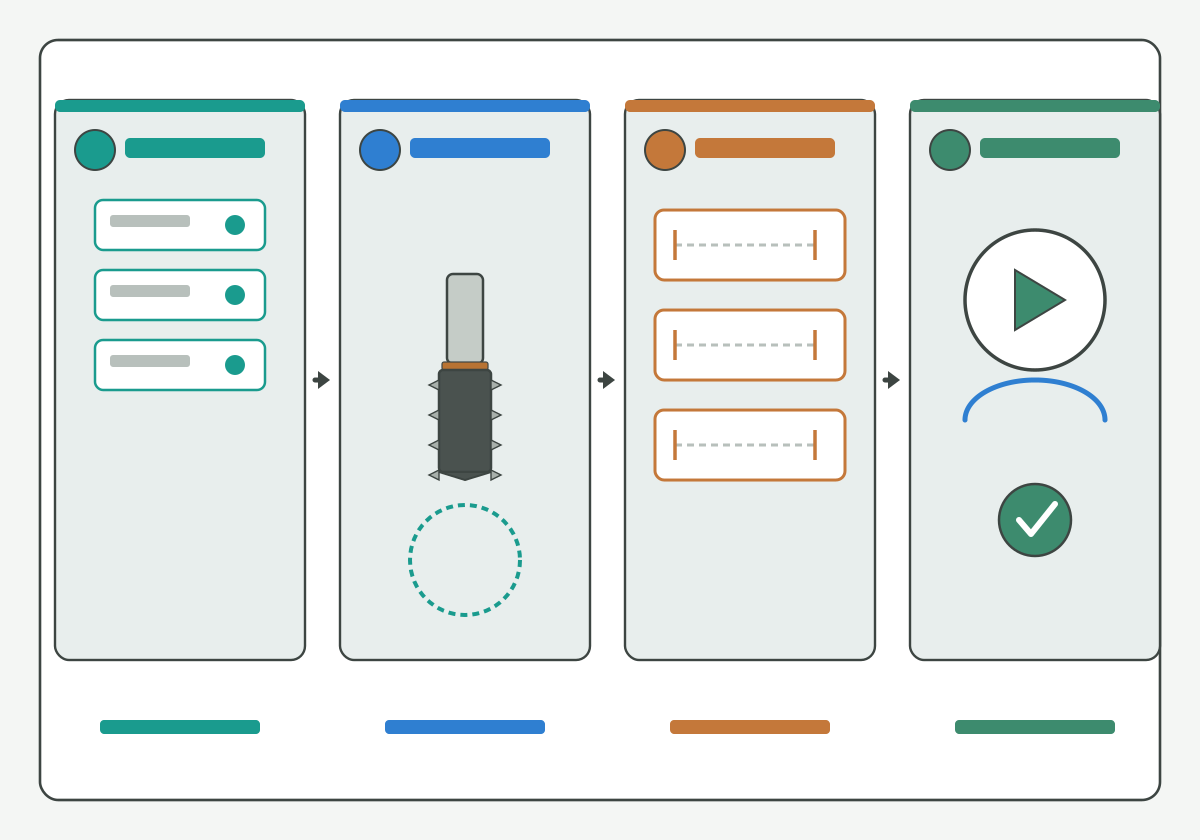
Illustration schematic: four-step teaching flow from version stack to tool geometry to offset fields to simulate check - annotated teaching layout only; not an official Autodesk Fusion screenshot, catalog claim, or life claim.
Write the software identity before you edit geometry or offsets:
- Fusion build / release label: the product version string the plant actually runs (leave blank and Soft HOLD if unknown);
- License / seat note: which seat or license class owns the file when the plant tracks that;
- Postprocessor identity: post name, revision, and target control family on the traveler;
- Stop rule: if Fusion or post identity is missing, do not treat the next posted file as a production release.
Official Autodesk Fusion CAM literacy such as this Fusion CAM 2D Thread steps help, this Fusion CAM 2D Thread toolpath help, and this Fusion manufacturing post process help supports naming setup language without publishing an HENTRY post table. Soft note (guide forthcoming, no empty hard link): Haas plane, G02/G03, and control-specific checks will sit on a dedicated Haas Knowledge page when published; keep only Fusion and post identity here.
Start here: no Fusion or post version on the traveler, no production release claim.
Create the actual thread milling tool
Build the tool definition from the real cutter, not from a remembered pocket-mill template:
- Tool type / form family: thread mill (single-form or multi-form language belongs on the single-form vs multi-form thread mills guide);
- Geometry fields: cutting diameter, shank, overall length, and any neck note the plant uses - align them to the product page specification when you have one;
- Pitch / form note: pitch or TPI the tool can generate; Soft HOLD if the print callout is still open;
- Library stamp: which tool library entry was copied, and whether it is approved, hypothetical, or [NEEDS VERIFICATION].
Review matched tool geometry on the thread mill product page before you invent a library diameter. Public tool-library literacy such as this Fusion CAM tool library help and threading literacy such as this thread milling process overview help name fields without migrating brand start cards. Tool-family discovery such as this thread milling resource overview and this threading product family overview stays neutral; brand parameter sheets are not HENTRY recommendations.
Hypothetical teaching note (not a verified HC customer case): a specimen file may reuse an end-mill diameter for a thread mill. Label that mix as a Soft HOLD; do not post it as a validated tool.
Define the model and thread geometry
Lock model and thread geometry before you trust offset fields:
- Hole / boss geometry: drilled or modeled diameter, depth, and entry features that change centre-path clearance;
- Thread callout: metric or UN system language stays on the metric and UN thread mill callouts guide;
- Clearance geometry: tool diameter versus hole and entry clearance stays on the thread mill diameter vs hole clearance guide;
- Blind-hole depth: full-thread depth and floor envelope detail stay on the live blind-hole thread milling depth guide when depth is the open question;
- Evidence status: measured on this model, inherited, or [NEEDS VERIFICATION].
Standards and units literacy such as this codes and standards portal, this national standards overview, this units and measurement guidance, and this international metrology portal keep callout language honest. Soft note (guide forthcoming, no empty hard link): internal versus external and left-hand versus right-hand path direction will sit on a dedicated direction Knowledge page when published.
Start here: if hole diameter, callout, or depth band is still blank, do not close the Fusion setup as validated.
Check the offset field definition
Name what each Fusion offset field means on this traveler before you edit a number:
- Stock / leave / radial stock: material left for a later pass or finish;
- Cutter compensation / wear / geometry offset: a CAM or control register that shifts the path relative to programmed geometry;
- Centre-path or toolpath diameter: a programmed orbit size that may already embed tool size in some posts;
- Unknown / mixed: mark [NEEDS VERIFICATION] when the screen label and the post documentation disagree.
This page only lands Fusion field definitions. The three-field compensation essay (radius versus diameter versus CAM offset, who applies, correction direction) stays on the live thread mill cutter compensation guide. Pass stacks and spring-pass judgment stay on the live thread milling pass strategy guide. Feed conversion stays on the live thread milling feed calculator guide; approved-data-to-program feeds stay on the live thread mill speeds and feeds guide.
Official Fusion path literacy such as this Fusion 2D Thread toolpath context help supports naming operation fields without claiming an official UI screenshot on this page. Thread-milling article literacy such as this thread milling article overview and this thread milling cutter overview stays discovery only.
Hypothetical teaching pair (not a verified HC customer case; [NEEDS VERIFICATION] for any plant use): two model holes may share one cutter while one traveler uses stock-leave and the other edits a wear register. Label each field before you compare first-thread results; do not treat the pair as proof of a universal Fusion offset recipe.
Simulate and inspect posted output
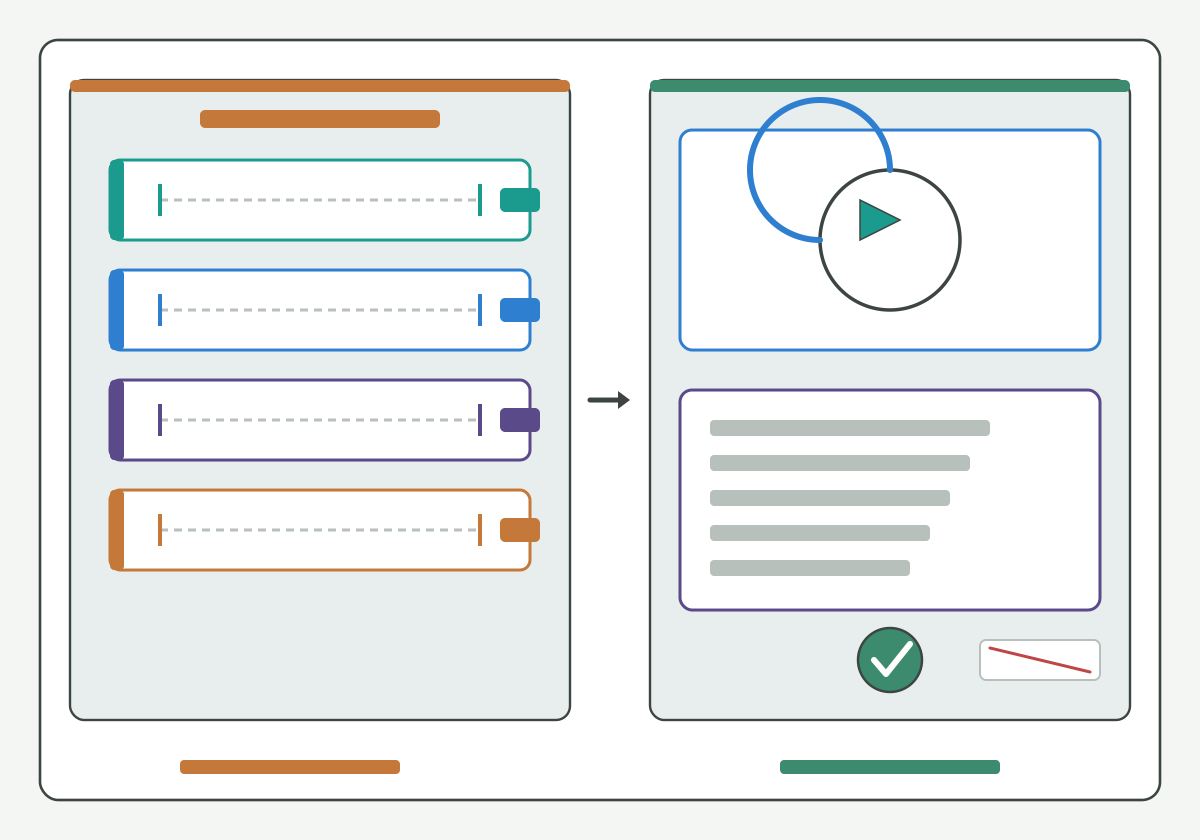
Illustration schematic: offset-field lanes beside simulate path versus posted abstract bars with match check - annotated teaching layout only; not an official Autodesk Fusion or Haas screenshot, ranked case photo, or life claim.
Treat simulation and posted-output review as two gates, not one habit:
- Simulate checks: collision/clearance notes your plant already uses, helix sense relative to the planned hand, and whether stock/leave matches the traveler;
- Posted-output checks: post identity matches the recorded postprocessor, plane and arc mode notes when your control family requires them, and feed/compensation tokens the plant already audits;
- Fail rule: if simulate or posted review fails, do not release the file as a production program;
- Evidence Soft HOLD: keep screenshots and logs as plant records; on this public page use schematic or annotated teaching language only - never claim a fake official UI capture.
Official simulation and post literacy such as this Fusion CAM simulation help and this Fusion help portal entry support naming checks without embedding proprietary screen grabs here. Soft note (guide forthcoming, no empty hard link): Haas plane, G02/G03, helical, and compensation proving steps will sit on a dedicated Haas Knowledge page when published. Continue on the live thread milling programming guide for the controller-agnostic verification checklist after Fusion fields pass.
Toolholding literacy such as this tool-holder interface overview and this toolholding tips overview helps name projection stacks that still change first-thread size after a clean post. Coolant path literacy such as this coolant concentration measurement method supports fluid-control language when chips pack in a tight orbit, without inventing an HENTRY pressure guarantee. Milling process literacy such as this milling process overview and tapping literacy such as this tapping knowledge overview remain contrast aids only.
Start here: simulate pass plus posted identity match, or Soft HOLD - never "good enough to run green."
Validate the first thread and keep revisions
Close the Fusion setup only after an explicit first-thread accept / reject / hold and a revision trail:
- Accept: Fusion and post versions, tool definition, model/thread geometry, offset-field names, simulate and posted checks were written before the cut; the first-thread gauge or optical result meets the print band with method named;
- Reject: any critical field was guessed, two offset levers were stacked without a documented pair, or the first thread fails with the opposite sign;
- Hold: any critical field still [NEEDS VERIFICATION] (version, offset definition, acceptance band);
- Revision fields: who changed Fusion or post identity, which offset field moved, and which traveler revision owns the next tryout - allow blank Soft HOLD model numbers when SKU is still open.
Geometry-inspection literacy such as this tool geometry inspection equipment overview, regrind literacy such as this regrind inspection and economic review overview, and metrology literacy such as this public metrology laboratory entry and this weights and measures public entry keep acceptance language public. Soft note (guide forthcoming, no empty hard link): oversize/undersize diagnosis sequences will sit on a dedicated size-error Knowledge page when published; keep only first-thread validation and revision fields here.
Peer-reviewed machining research literacy such as this peer-reviewed machining research journal overview and process research literacy such as this machining process and tool development research overview support naming setup as a process variable, not a slogan. Machining data literacy such as this machining data literacy portal, threading knowledge such as this threading knowledge overview, and tool-family literacy such as this threading tools overview, this thread milling tools overview, this thread milling products overview, this threading resources hub, this threading article overview, this cutting-tool resources hub, and this carbide rod blank portfolio overview stay discovery aids only.
Start here: unverified programs are not production releases - even when simulate looked clean.
Confirm the matched tool and validation inputs
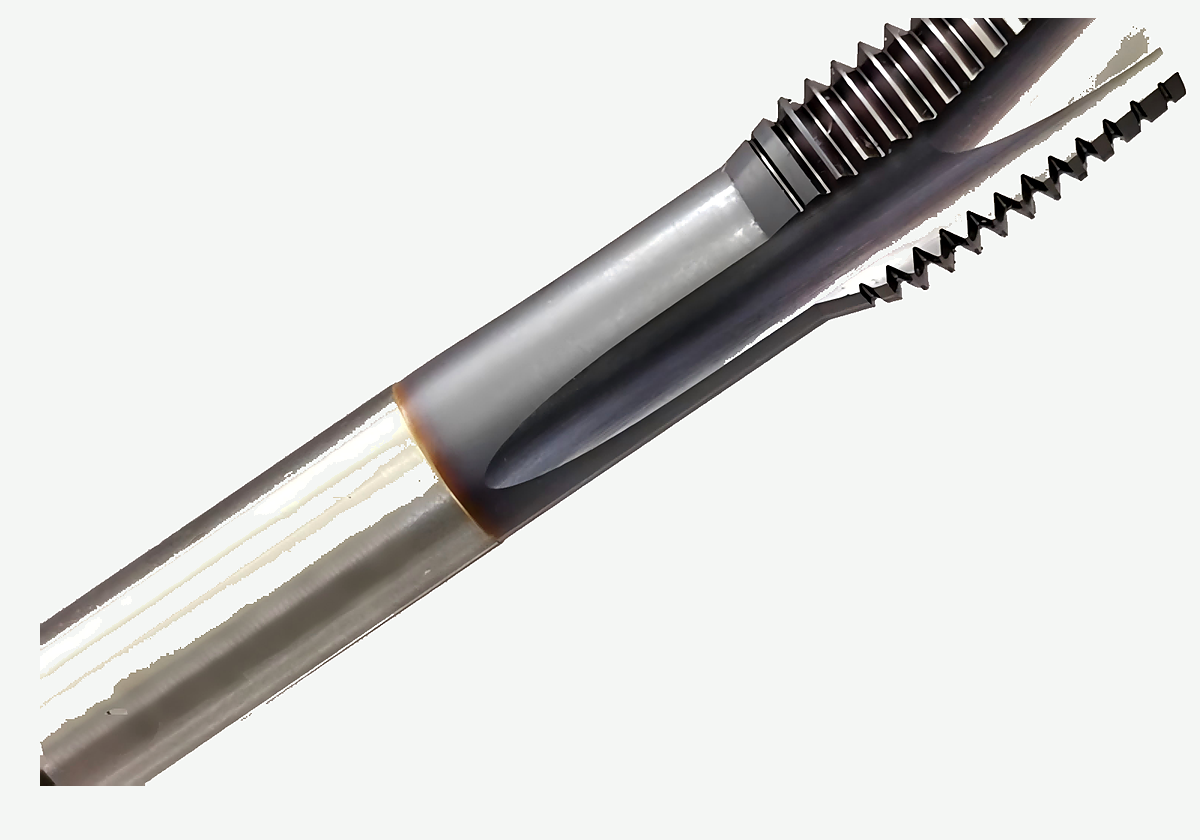
Product photo on paper background for enterprise support - geometry reference only; not a price, life, or ranked case claim.
When Fusion and post versions, tool definition, model/thread geometry, offset-field names, simulate/posted checks, and first-thread revision fields are written, review the matched tool and validation inputs on the thread mill product page. Bring callout, material, Soft HOLD flags, and first-thread notes. Do not ask for a public price on Knowledge pages. Optional drawing or RFQ handoff stays on the custom cutting tool RFQ page when the plant needs a controlled intake path.
CTA: Review the matched tool and validation inputs on the thread mill product page after the Fusion revision record is written. Compensation-field essays remain on the thread mill cutter compensation guide; programming checklists remain on the thread milling programming guide; this page stops at versioned Fusion setup and first-thread validation.
FAQ
Can I continue if Fusion or postprocessor version is missing?
No for a production release. Soft HOLD the traveler until Fusion build and postprocessor identity are written. You may keep drafting geometry and offset notes as teaching or Soft HOLD work, but do not treat an unverified program as a production release.
How is this page different from a compensation essay?
This page lands Fusion versioning, geometry, offset-field naming, simulate/posted review, and first-thread validation. A compensation essay owns radius versus diameter versus CAM offset, who applies, and correction direction as a field system. Keep both jobs labeled; do not collapse them into one unlabeled edit.
If simulation passed, can I skip the first thread?
No. Simulation and posted-output checks are gates before cutting, not substitutes for first-thread acceptance. Record gauge or optical results with method named before you call the Fusion setup validated.
When should I use a Haas check page or a direction page instead?
Use this page for Autodesk Fusion setup and offset-field landing. Soft note only for now: a Haas plane/G02/G03/compensation check page and an internal/external left-hand/right-hand direction page will sit on dedicated Knowledge URLs when published. Do not empty-link those topics here.
Can an unverified Fusion program go to the shop floor?
No. Unverified programs are not production releases. Keep Soft HOLD or [NEEDS VERIFICATION] stamps visible, and only release after version, offset, simulate/posted, and first-thread fields are written and accepted by your plant process.
Sources and related
- Fusion CAM 2D Thread steps help
- Fusion CAM 2D Thread toolpath help
- Fusion 2D Thread toolpath context help
- Fusion CAM tool library help
- Fusion manufacturing post process help
- Fusion CAM simulation help
- Fusion help portal entry
- coolant concentration measurement method
- carbide rod blank portfolio overview
- codes and standards portal
- toolholding tips overview
- international metrology portal
- peer-reviewed machining research journal overview
- national standards overview
- thread milling cutter overview
- threading resources hub
- thread milling resource overview
- thread milling products overview
- tool-holder interface overview
- regrind inspection and economic review overview
- machining process and tool development research overview
- machining data literacy portal
- public metrology laboratory entry
- units and measurement guidance
- weights and measures public entry
- milling process overview
- tapping knowledge overview
- threading knowledge overview
- thread milling process overview
- thread milling article overview
- threading article overview
- threading product family overview
- thread milling tools overview
- threading tools overview
- tool geometry inspection equipment overview
- cutting-tool resources hub
Related live pages: thread milling guide · thread mill selection guide · single-form vs multi-form thread mills · metric and UN thread mill callouts · thread mill diameter vs hole clearance · thread milling vs tapping aluminum · thread milling programming guide · thread mill speeds and feeds · blind-hole thread milling depth · thread milling feed calculator · thread mill cutter compensation · thread milling pass strategy · thread mill product page. Soft note only (no empty hard links): Haas check page, internal/external direction page, and thread size-error diagnosis Knowledge pages are forthcoming.