
Search results for drill size, 20 drill size, 20 drill bit size, and 20 drill diameter often mix metric tables, fractional inch lists, letter charts, and number charts on one screen. Process engineers then open several tabs and still lack a single place to name the numbering system, convert with labeled units, and separate nominal drill diameter from the hole the shop actually measures after the cut.
HENTRY publishes this guide as a size and conversion hub for drill selection. You walk metric, inch, letter, and number systems, then verified conversion examples from industry-standard references, then a nominal-versus-actual hole checklist, then hole-purpose routing, then common table mistakes that feed an RFQ. The page does not host a full tap-drill encyclopedia, an unverified letter or number catalog posed as HENTRY shop data, or invented life claims. Product families and buy-select geometry belong on the carbide-drill-bits page; here you finish size and conversion checks before you request a tooling review.
Numbering systems jumps to the four size systems. Conversion examples opens the unit-labeled table. Nominal vs actual opens the hole-size checklist and RFQ fields.
Drill size charts mix metric, fractional inch, letter, and number systems. Convert with labeled units and industry-standard references, then separate nominal diameter from the hole you get after runout, material push-out, and finishing. Match size to hole purpose: clearance, ream prep, or tap prep, before you trust a single table cell. Product families live on the carbide-drill-bits page; tap-drill charts belong on their own page when live. This page finishes size and conversion checks before you request a tooling review.
Metric, Inch, Letter & Number Systems
Use the four-system checklist below as a shop-dependent routing aid, not as a guarantee that every catalog row matches your traveler. Read the system name and the unit column before you copy a cell. Confirm open cells with application engineering when the drawing, material, or finishing step is still unclear.

| System | What it mainly names | Typical unit column | Common mix-up | Leave blank if unknown |
|---|---|---|---|---|
| Metric | Nominal drill diameter in millimeters | mm (sometimes with inch equivalent beside it) | Treating a mm row as a fractional inch nickname | Yes; confirm drawing units |
| Fractional inch | Nominal diameter as an inch fraction | in (often with decimal inch and mm beside it) | Reading 1/4 as a letter or number code | Yes |
| Letter | Letter sizes A through Z on the industry letter series | decimal inch (and mm equivalent) | Treating letter size as a metric grade letter | Yes |
| Number | Number sizes (commonly #1 through #80 on the industry number series) | decimal inch (and mm equivalent) | Treating #20 as twenty millimeters or as a fractional inch | Yes |
Metric drills name the diameter in millimeters. That system is common on metric drawings and on many carbide series lists. When a print says 5.0 or 8.0 without a unit, stop and recover the unit from the title block before you touch a chart. Fractional inch drills name diameter as an inch fraction such as 3/16 or 1/4. Those fractions are not letter codes and they are not number codes.
Letter drills fill gaps between fractional sizes on the industry letter series (A through Z). Number drills fill smaller gaps on the industry number series. On the usual ANSI/ASME series, as the number rises, the diameter falls: #1 is larger than #80. That direction is the opposite of how people read a simple count, which is why #20 is a frequent traveler trap when someone treats it as twenty millimeters.
A frequent traveler error is to copy a number or letter token into a metric field, or to treat a number size as a fractional inch. Another error is to ignore the unit header and paste a decimal inch value into a mm cell. Lock the system name first, then the unit column, then the size token. If purchasing only receives a bare token such as A or #7, send the system name back with the request before the order lands on the wrong series.
Shop-dependent catalogs still need application engineering confirm when the drawing mixes units, when a finishing ream or tap follows, or when the hole purpose is still open. Keep those notes beside the checklist rather than treating one chart cell as a locked process sheet.
Conversion Table with Verifiable Examples
Convert only with labeled units and a named industry-standard reference. The examples below use nominal sizes commonly published against ANSI/ASME B94.11M twist-drill size lists, with millimeter values from inch times 25.4. They are conversion examples for routing, not HENTRY measured guarantees and not a full catalog dump posed as shop data.

Units sit beside every size column. On phones, scroll the table horizontally. Source label: industry-standard letter/number/fractional sizes (ANSI/ASME B94.11M series as commonly published); mm = in times 25.4. Blank cells stay blank until engineering confirms your traveler.
| System token | Decimal inch (in) | Millimeter (mm) | Notes |
|---|---|---|---|
| #20 (number) | 0.1610 | 4.09 | Number series; do not read as 20 mm |
| 3/16 (fractional inch) | 0.1875 | 4.76 | Fractional inch; mm rounded to 2 places |
| 5.0 mm (metric) | 0.1969 | 5.00 | Metric nominal; inch = mm divided by 25.4 |
| #7 (number) | 0.2010 | 5.11 | Often appears near tap-prep charts; tap detail stays off this page |
| Letter A | 0.2340 | 5.94 | Letter series; not a material grade |
| 1/4 (fractional inch) | 0.2500 | 6.35 | Same decimal as letter E on the common letter series |
| Letter E | 0.2500 | 6.35 | Same nominal as 1/4 in on the common letter series |
| 6.0 mm (metric) | 0.2362 | 6.00 | Close to letter A / 15/64 region; still a different system token |
| 5/16 (fractional inch) | 0.3125 | 7.94 | Fractional inch example above 1/4 |
| 8.0 mm (metric) | 0.3150 | 8.00 | Metric nominal near 5/16 in; confirm system on the traveler |
Read every row left to right: system token, decimal inch, millimeter, then the note. When two systems share a similar diameter (for example 1/4 in and letter E at 0.2500 in), keep both tokens on the traveler instead of dropping the system name. When metric and fractional values sit close (for example 8.0 mm versus 5/16 in), write the drawing unit first so purchasing does not order the wrong series.
Search intent around 20 drill size or 32 drill bit size usually needs this same habit: identify whether the token is a number size, a fractional inch, or a metric diameter, then convert with units visible. A #20 number drill is not a 20 mm drill. A 32 drill bit size phrase on a search page may mean a fractional, number, or letter neighbor depending on the source chart; recover the system before you convert.
This page intentionally shows a verified example set, not a complete A to Z or #1 to #80 dump inside the article body. Full industry tables belong in your shop standard binder or an approved reference sheet. Do not treat the example rows as an HENTRY stock matrix, and do not invent extra decimal places beyond what the reference supports.
A calculator can help as an optional aid later. First-version work still needs labeled units and at least one verified example on the page, which the table above supplies. If your plant standard uses a different rounding rule for mm equivalents, write that rule on the traveler and keep it consistent across purchasing and inspection.
Nominal Drill Size vs Actual Hole Size
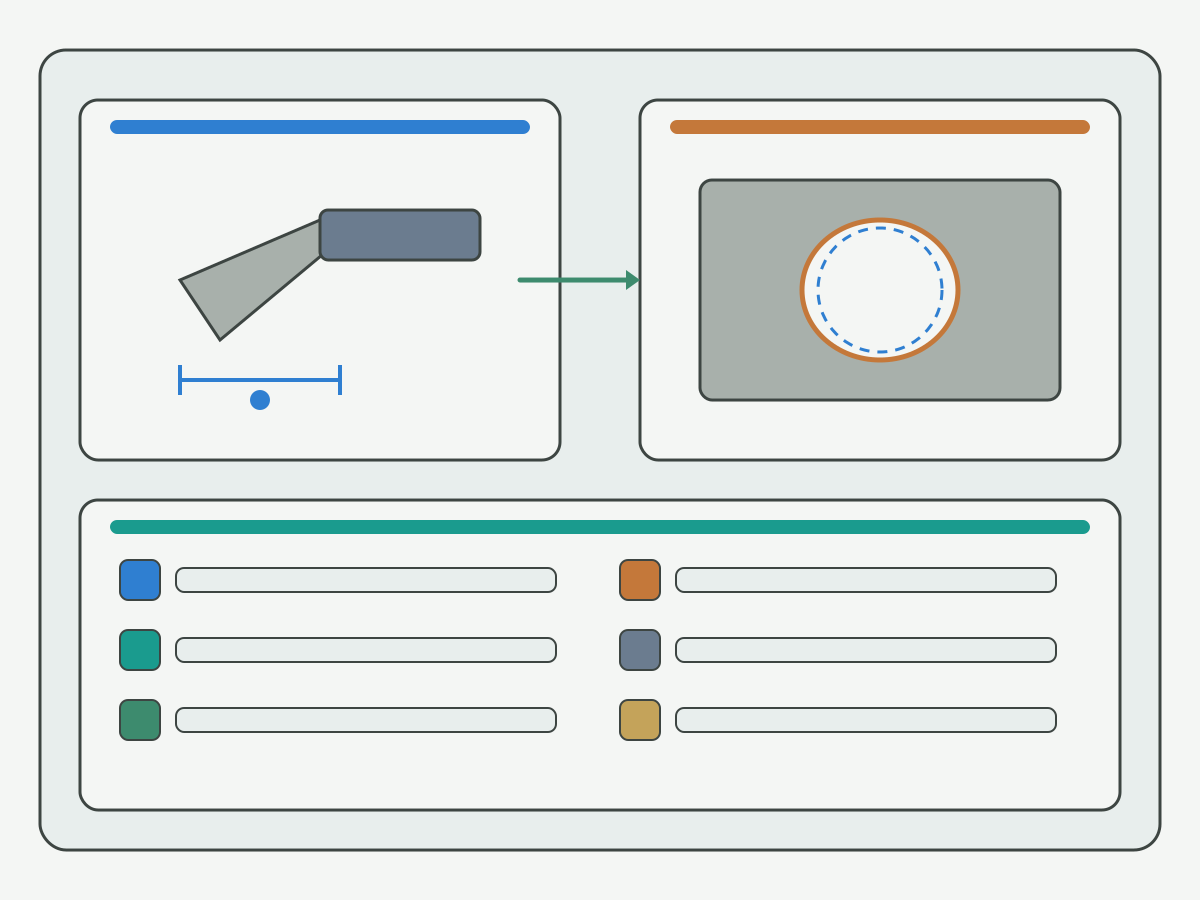
Nominal drill diameter is the size token on the chart. The hole you measure after drilling can move with runout, material spring-back or push-out, coolant, edge condition, and any ream or bore finish that follows. Use the checklist below before you treat a chart cell as the finished hole.
| Checklist item | What to write | When nominal may be enough | When to leave finish stock |
|---|---|---|---|
| Runout / holder | Holder type and measured runout if known | Clearance holes with wide tolerance | Tight hole class or long stick-out |
| Material response | Material family and any spring-back notes | Stable free-cutting materials with proven process | Work-hardening or gummy materials |
| Coolant / heat | Coolant style and heat clues | Short holes with stable coolant | Deep holes or heat-sensitive edges |
| Edge / grind state | New, reground, or unknown edge | Known sharp edge on a proven job | Worn edge or unknown regrind |
| Finish step | Ream, bore, or none | As-drilled clearance only | Ream or bore prep needs planned stock |
Nominal size is enough when the hole purpose is clearance, the tolerance band is wide, and the setup is already proven. Leave ream or bore stock when the drawing asks for a precision finished hole. Do not invent a fixed tolerance guarantee in millimeters on this page; write the measured result or leave the cell blank for engineering confirm.
When the next step is a reamer rather than an as-drilled finish, keep precision-hole process detail on the live reamer-versus-drill guide instead of expanding a reaming encyclopedia here. Size selection still starts with the nominal token and the purpose checklist on this page. For process comparisons that separate drilling from reaming on precision holes, see the live reamer vs drill bit for precision holes guide. Link once; keep reamer product selection off this size hub.
Pilot or pre-drill decisions also sit outside this size guide when entry control or step drilling is the real question. Keep those process notes on their own guides when you need them; this page stays on size systems, conversion, and nominal-versus-actual checks.
Select by Hole Purpose
Match the size system and the nominal token to hole purpose before you chase a single favorite number or letter. Purpose first, token second, product family third.
| Hole purpose | What usually matters | Size-hub action | Where detail continues |
|---|---|---|---|
| Clearance | Bolt or shaft clearance band; wide tolerance often OK | Pick system + nominal; confirm unit column | Product family pages for tool geometry |
| Close fit | Tighter as-drilled band; runout and edge state matter more | Name nominal and setup notes; avoid over-trusting one cell | Application review when tolerance is tight |
| Ream prep | Planned stock for the reamer; not the finished hole yet | Leave finish stock on the traveler; do not treat drill size as final | Reamer vs drill process page (linked above) |
| Tap prep | Tap-drill size for the thread; different job from this hub | Use this page only as a size-system entry; do not copy a full tap-drill table here | Tap-drill size chart page when that resource is live; until then note tap prep on the RFQ |
Clearance holes often tolerate a wider band around nominal. Close-fit as-drilled holes need tighter control of runout and edge state. Ream prep means the drill leaves stock on purpose. Tap prep is a different chart problem: this hub only names the entry point so you do not paste a clearance size into a tap traveler by mistake. A dedicated tap-drill size chart page is the right home for full tap-drill tables when that page is live; until then, put tap size, pitch, and material on the RFQ instead of inventing a tap table here.
Length-of-flute and stick-out choices sit outside this size guide. When you need stub, jobber, or long-series routing after the diameter token is locked, open the live stub-versus-jobber guide from the related links below. Solid carbide family geometry after size selection continues on the solid carbide drill product page also listed there. Keep those length and family decisions from overwriting the diameter token you just verified.
After the diameter token is locked, substrate choice (HSS, cobalt HSS, or carbide) is a separate decision. Keep that comparison on the live HSS cobalt and carbide drill materials guide rather than rewriting a materials comparison on this size hub.
Common Table Mistakes & RFQ Inputs
Most size-chart failures are traveler mistakes, not missing calculator widgets. Fix the traveler before you blame the chart.
| Mistake | What goes wrong | Fix on the traveler |
|---|---|---|
| Mixed units | mm pasted into an inch field or the reverse | Write system + unit beside every size token |
| Wrong system token | #20 read as 20 mm; letter A read as a grade | Name number/letter/fractional/metric explicitly |
| Nominal treated as finished hole | As-drilled size assumed equal to print | Run the nominal-versus-actual checklist |
| Tap-drill used as clearance | Thread prep size ordered for a clearance hole | Separate hole purpose before copying a cell |
| Missing finish step | Ream or tap planned but not written | Add ream/tap/none on the RFQ list below |
| Bare token to purchasing | Order lands on the wrong series | Send system name with every token |
RFQ inputs that usually close a size review:
- Target hole size and tolerance band (drawing units)
- Hole purpose: clearance, close fit, ream prep, or tap prep
- Workpiece material and hardness band if known
- Preferred size system: metric, fractional inch, letter, or number
- Whether a ream, bore, or tap follows
- Coolant style, holder notes, and rigidity or runout notes if known
- Quantity or trial window
After the size path is named, open the live carbide drill bits family page for product geometry and buy-select detail. Soft support in the related links covers solid carbide drills and stub-versus-jobber length. Indexable drill product pages remain outside this hub until that product path is published.
Process Guide vs Product & Related Pages
| Page role | What it owns | What to do here |
|---|---|---|
| This size chart hub | Numbering systems, conversion examples, nominal vs actual, purpose routing, table mistakes, RFQ fields | Finish size checks; do not buy from the chart alone |
| Carbide drill bits (product) | Family geometry, series selection, buy path | Open after size token and purpose are named |
| Solid carbide drill (product) | Solid carbide family detail | Optional support after diameter path is locked |
| Stub vs jobber vs long | Length-of-flute / stick-out routing | Use after diameter; do not copy length tables here |
| Reamer vs drill (process) | Precision-hole drill-versus-ream decision | Use when finish is ream prep or tighter than as-drilled |
| Drill materials (HSS / cobalt / carbide) | Substrate comparison hub | Size first here; open materials guide after diameter is locked |
| Tap-drill chart (when live) | Tap-drill sizes for threads | Do not copy that full table onto this hub |
Fourteen related search phrases for drill size and diameter map to this one hub. Do not split them into thin synonym pages. Keep buy-select language on the product pages and keep tap-drill depth on its own resource when that page is live. Keep materials depth on the materials guide already linked above. This hub stays on numbering, conversion, nominal-versus-actual checks, and purpose routing.
Related Live Links (Hard Links Only)
- Solid carbide drill: solid carbide family support after diameter is locked
- Stub vs jobber vs long series drills: length routing after diameter
Carbide drill bits, the reamer-versus-drill process guide, and the HSS/cobalt/carbide materials guide are already linked once in the sections above. Use the RFQ button below when size or process fields still cannot close from a published series.
Evidence Notes & FAQ
Evidence on this page is the four-system checklist, the unit-labeled conversion examples sourced to commonly published ANSI/ASME B94.11M series sizes with mm from inch times 25.4, the nominal-versus-actual checklist, the hole-purpose table, and the RFQ field list. No invented customer case studies, life percentages, prices, or HENTRY-measured letter/number catalogs appear here. Confirm shop-dependent cells with application engineering before you lock a process sheet.
Drill Bit Size Chart FAQ
What drill size systems does this chart cover?
Metric, fractional inch, letter, and number systems. Read the system name and the unit column before you copy a cell. The numbering-systems section and its figure show how the four systems sit side by side.
How do I convert between inch and metric drill sizes?
Use labeled units and a named industry-standard reference. The conversion section shows verified examples such as #7 at 0.2010 in (5.11 mm) and 1/4 in at 0.2500 in (6.35 mm), with mm from inch times 25.4. Those rows are routing examples, not HENTRY measured guarantees.
What is the difference between nominal drill size and actual hole size?
Nominal size is the chart token. Actual hole size can move with runout, material response, coolant, edge condition, and any ream or bore finish. Use the nominal-versus-actual checklist before you treat a chart cell as the finished hole.
Should I use a drill size chart for tap drill sizes?
Use this page only as a size-system and purpose entry for tap prep. Full tap-drill tables belong on a dedicated tap-drill size chart resource when that page is live. Until then, put thread, pitch, material, and tap-drill preference on the RFQ instead of copying a clearance size into a tap traveler.
Which HENTRY product page should I open after this guide?
Open the carbide-drill-bits family page already linked in the product path for series selection. Use the solid-carbide-drill page when solid carbide family detail is next. Use the custom RFQ when size, purpose, or acceptance fields cannot close from a published series alone.
What belongs on a drill-size RFQ?
List target hole size and tolerance, hole purpose, workpiece material, preferred size system, whether a ream or tap follows, coolant and rigidity notes, and quantity or trial window. Leave unknown cells blank. Use the RFQ field list in the mistakes section as a checklist.
Do letter and number drills use the same scale as fractional inch?
No. Letter and number series are separate industry systems that fill gaps between fractional inch sizes. They publish as decimal inch (and mm equivalents) but the tokens are not fractional inch names. Keep the system label beside every size you copy.
Where do drill materials fit after I pick a size?
Size and conversion come first on this hub. Substrate comparisons among HSS, cobalt, and carbide continue on the materials guide already linked in the hole-purpose section. Keep materials depth off this size page so diameter checks stay clear.
Request Custom Cutting Tool Support
When the size system, conversion, hole purpose, and finish step are still open, send the drawing units, target hole and tolerance, purpose, material, and preferred system through a custom review. HENTRY application engineering can help close size and process fields before you lock a series.