
This page is the peripheral milling (side milling) process guide for CNC walls, shoulders, and related side-edge features when you need contact geometry, a conditional side-versus-face split, and ae/ap plus rigidity checks before you open an end-mill RFQ. It helps process engineers, CNC programmers, and tooling buyers define engagement, choose when side milling beats face milling for the feature in hand, match tool construction to the workpiece in conditional terms, then fill a defect and selection checklist. Cutter-type navigation stays on the live milling tools hub. Climb versus conventional milling, face-milling exclusives, coating matrices, size tables, full SFM libraries, chatter diagnosis trees, and surface-finish exclusives belong on their own pages when those pages are live. This page is milling support relative to holemaking; it is not a milling site hub rewrite.
Start from the live hub when you still need cutter-family framing: milling tools guide. Live solid carbide end-mill families stay on carbide end mills.
Quick answer
- Define the cut: peripheral (side) milling removes stock primarily with the cutter periphery against a wall or shoulder, with feed along the feature, not with a face-dominant planing pass.
- Choose side versus face by feature: use side-edge engagement for walls, shoulders, and related vertical surfaces; use face-dominant contact for planar top surfaces; combine when the part needs both (conditional, not a brand ranking).
- Lock three inputs before cutting: workpiece material and condition, radial and axial engagement (ae and ap) versus stick-out, and machine plus holder rigidity.
- Next step: run the defect checklist, then request a matched end-mill proposal from live product notes and RFQ. This page is not a full coating, size, or SFM library.
Selection path (stop when a field is missing):
| Step | What you lock | If missing |
|---|---|---|
| 1 Feature | Wall, shoulder, boss, or planar face; depth and length of side contact | Stop; recover the drawing revision |
| 2 Engagement | Side-edge versus face-dominant contact; feed direction along the feature | Do not force one strategy for every surface |
| 3 Material | Grade, condition, hardness band if known | Leave blank; do not invent life |
| 4 ae / ap / rigidity | Radial width, axial depth, stick-out, holder, clamp notes | Stop; measure or ask engineering |
| 5 Defects | Vibration marks, deflection, burn, size drift checklist | Keep open risks flagged |
| 6 Confirm | End-mill direction + RFQ package | Open RFQ with incomplete SKU if needed |
Jump: Definition · Side vs face · Tool vs workpiece · Example · ae / ap / rigidity · Defects · RFQ · Confirm · FAQ
What is peripheral milling, and how does the cutting edge engage?
Peripheral milling (also called side milling in shop speech, and historically aligned with plain or standard milling on knee mills) is the process where the cutter removes stock mainly with teeth on the cylindrical periphery. The tool axis is typically parallel to the wall being generated. Feed runs along the feature so that radial engagement (ae) and axial engagement (ap) define how much of the side edge is in cut.
- Side-edge engagement: chips form along the periphery; the wall or shoulder finish is dominated by that contact, not by a face-mill planing pass.
- Feed direction: along the length of the wall or shoulder; climb versus conventional sense of that feed is a separate process choice and is not expanded as a full guide here.
- Plain / standard milling literacy: older texts often group peripheral cuts under plain or standard milling on horizontal setups. Treat those labels as historical synonyms for side-edge work when the print describes a wall, not as a reason to rename every modern CNC side cut.
- What this page is not: a rewrite of the live milling tools guide type catalogue, and not a holemaking OWN page.
Public milling process literacy such as this milling knowledge overview and this how to mill overview describes engagement principles. Treat those pages as motion literacy, not as HC cutting data. Machine-tool vocabulary such as this manufacturing society portal supports naming the process family without inventing shop slang as a standard.
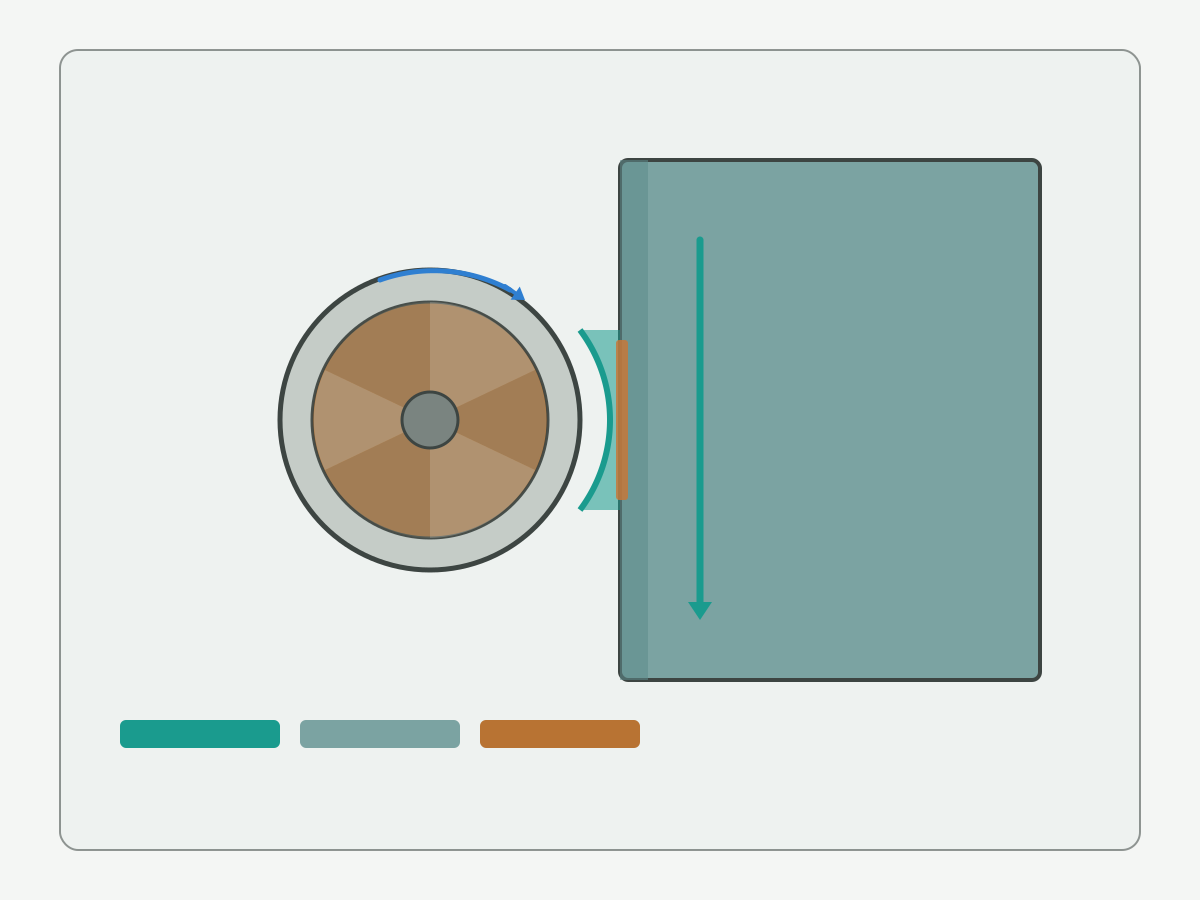
Schematic illustration: not a machine-ready toolpath or catalogue ranking. Confirm diameters, ae, ap, and stick-out on your drawing and cutter data.
Side milling vs face milling
Side milling and face milling solve different surface jobs. Use a conditional table, not an unconditional “better” ranking. Face-milling exclusives will live on a dedicated face-milling guide when that page publishes; this section only draws the boundary needed for peripheral work.
| When the feature is… | Prefer side (peripheral) engagement when… | Prefer face-dominant contact when… | Combine when… |
|---|---|---|---|
| Vertical wall or shoulder | Finish and size on the wall matter; periphery can reach the height | Only the top plane must be flat and the wall is out of scope | Shoulder needs both a wall and a floor or top blend |
| Wide planar top | You are only trimming an edge band | Stock removal and flatness are face-led across a large area | Rough face then finish the side wall with a different engagement |
| Boss or pocket wall | Radial ae is controlled and stick-out is known | Floor flatness is the acceptance driver | Walls and floor share one setup but different passes |
| Thin wall | Light ae, short stick-out, and support are confirmed | N/A if no planar face is required | Support the wall from the opposite side if the print allows |
Cutter-type framing for end mills, face mills, and related families stays on the milling tools guide. Educational face-milling literacy such as this face milling overview helps teams name face-dominant contact; it does not replace a future HC face-milling exclusive. Standards and metrology literacy such as this codes and standards portal and this public metrology laboratory entry support how you name acceptance on walls and planes; they do not invent your print’s tolerance.
Tool material vs workpiece
Match workpiece condition to the end-mill construction the live product note actually states. Use conditional language only; do not invent unverified life, wear percentages, or case counts.
- Solid carbide end mills: common for CNC side milling of steels, stainless families, and aluminum when the product note lists that group. Confirm substrate and geometry on the sheet before RFQ.
- Flute count and corner style: four-flute constructions often suit finishing side walls when chip space allows; corner-radius styles can reduce corner chipping on shoulders when the print allows a radius. See live notes on 4-flute carbide end mills and corner radius end mills only as catalogue anchors, not as ranked winners.
- Coating family: AlTiN-family and related coatings are selection inputs when the product note states them for the material group. Full coating matrices belong on a dedicated coatings page when live; until then, treat coating as an RFQ field, not a universal claim. Live family note: AlTiN coated end mills.
- Coolant and chip path: sticky materials and deep walls need delivery that reaches the side cut. Fluids literacy such as this coolant know-how overview supports the boundary discussion without inventing a fluid brand requirement.
- Size and SFM libraries: diameter tables and full speed-feed libraries are out of OWN here. Leave numeric SFM blank until cutter data and a controlled trial fill them. Cutting-data literacy such as this machining formulas overview helps teams name ae, ap, and vc symbols without publishing a universal chart.
Browse live constructions here: carbide end mills. Third-party milling application literacy such as this engineering calculators portal and this cutting data notes portal adds context; neither is an HC trial result.
Teaching example: aluminum shoulder side mill (instructional)
Instructional / hypothetical example only. This is not a verified HC customer case and invents no life, scrap rate, cycle-time, price, or ROI claims.
Imagine an aluminum housing with a shoulder that must hold wall size and a clean blend to a floor. Walk selection in this order and stop when an input is missing:
- Confirm the drawing revision, wall height, shoulder length, and whether a corner radius is allowed.
- Classify contact as side-edge dominant for the wall; note any face pass needed for the floor as a separate engagement.
- Record material grade and condition (for example wrought aluminum family); leave hardness blank if unknown.
- Propose ae and ap bands as symbols first; fill numbers only from cutter data and a controlled first-off, never from invented “safe” globals.
- Check stick-out, holder, and clamp rigidity; shorten projection before increasing ae if vibration risk is high.
- Open two candidate end-mill rows that both cover diameter, length, and corner style; keep both if risks differ by setup.
- Agree the measure method for wall size and finish before the first chip, then open RFQ if the SKU is still open.
Information gain: each missing field is a stop, not a guess. Two incomplete candidates beat one invented “best” SKU.
Depth of cut, width of cut, and rigidity
For peripheral cuts, treat ae (radial width of cut), ap (axial depth of cut), and stick-out as a coupled set. Symbols first; no unverified absolute recommendation posing as universal shop law.
- ae (radial): how much of the cutter diameter engages the wall per pass. Large ae on a long stick-out raises deflection and vibration risk.
- ap (axial): how much flute height is in cut along the wall. Deep ap with weak clamping shows as taper or chatter marks.
- Stick-out and holder: projection from the gauge line drives bending stiffness. Toolholding literacy such as this toolholding overview and this tool holder technology overview belongs on the setup checklist.
- Machine and clamp: spindle, table, and fixture stiffness bound how aggressive ae/ap can be. Reduce engagement before blaming the grade of carbide.
- Climb versus conventional sense: feed sense relative to rotation changes chip thickness pattern and side-load direction. A full climb-versus-conventional guide is out of OWN; record the sense you will use on the setup sheet and keep consistency between trial and production.
National standards literacy such as this national standards overview supports naming drawing inheritance; it does not fill ae/ap for you. Research society literacy such as this CIRP research portal frames process research boundaries only.
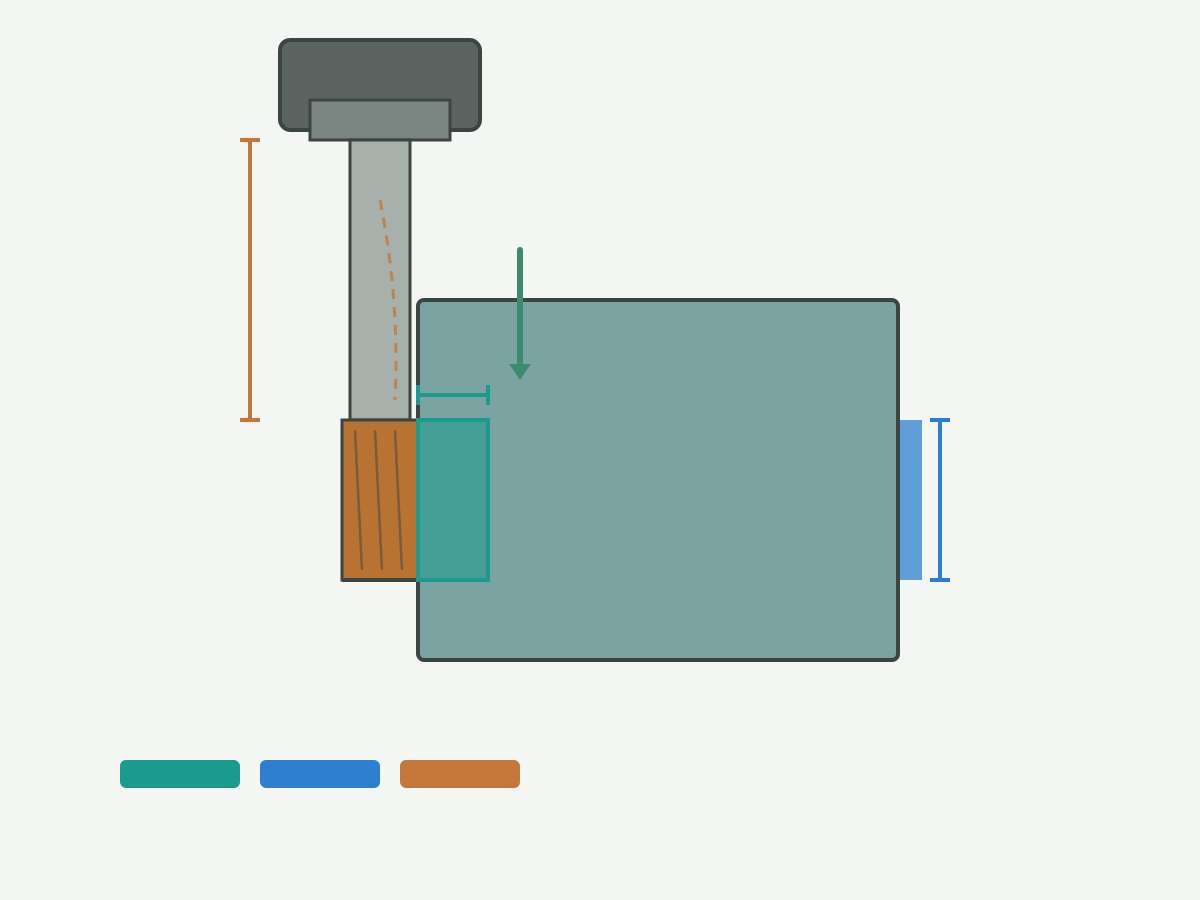
Schematic ae / ap and overhang: symbols only. Fill numbers from the drawing, cutter data, and a controlled trial.
Defects and selection checklist
Use condition-to-check mapping. This is not an unconditional fault ranking and invents no scrap percentages. Full chatter diagnosis trees and surface-finish exclusives belong on specialist pages when live.
| Symptom (condition) | Check first | Then check | RFQ / trial note |
|---|---|---|---|
| Vibration marks on the wall | Stick-out, holder, clamp, ae | Speed band, flute count, imbalance | Flag chatter risk; do not invent a damping claim |
| Wall taper or size drift | Deflection from ae/ap vs projection | Tool wear pattern, thermal growth | Record first-off before compensation edits |
| Burn or discoloration | Speed, coolant reach, rubbing from low feed | Coating/edge note vs material | Leave life claims blank |
| Corner chip-out on shoulder | Sharp corner vs allowed radius | Entry strategy, ae at corner | Consider corner-radius style if print allows |
| Poor wall finish after size is OK | Finish pass ae, runout, edge condition | Feed per tooth, climb/conventional sense | Surface-finish exclusive pages when live |
| Noise with light ae | Holder interfaces, pull-out, imbalance | Machine condition | Fix setup before changing carbide grade |
Practice portals such as this cutting tools practice overview and CNC milling literacy such as this CNC milling overview support reading symptoms; they are not HC shop results.
Procurement checklist (RFQ inputs)
Send what you know. Final SKU is optional when the drawing and constraints are complete.
- Drawing and feature: revision, wall or shoulder dimensions, corner notes, acceptance method for size and finish.
- Material: grade, condition, hardness band if known.
- Engagement intent: side versus face split, target ae/ap as symbols or measured bands, climb or conventional sense if already chosen.
- Machine and holder: spindle interface, holder family, projection band, coolant path.
- Candidate notes: diameter, flute count, corner style, coating family if known, or “open proposal.”
- Defect risks already seen: vibration, taper, burn, chip-out flags from trials or sister parts.
- Production intent: quantity intent and repeat need (qualitative is enough; no invented ROI).
Open the request form when the package is ready: custom cutting tool RFQ. Metrology discipline literacy such as this weights and measures overview supports how you record acceptance; it does not invent your gauge plan.
Confirm the specification with engineering support
Before production ramp, confirm the end-mill direction and trial plan with engineering. Hand the package to a product and RFQ path that can return a matched cutter, not a generic catalogue guess. HENTRY / HC supports drawing-based solid carbide end-mill proposals and engineering review. No price, MOQ, or unverified lead time is stated on this page.
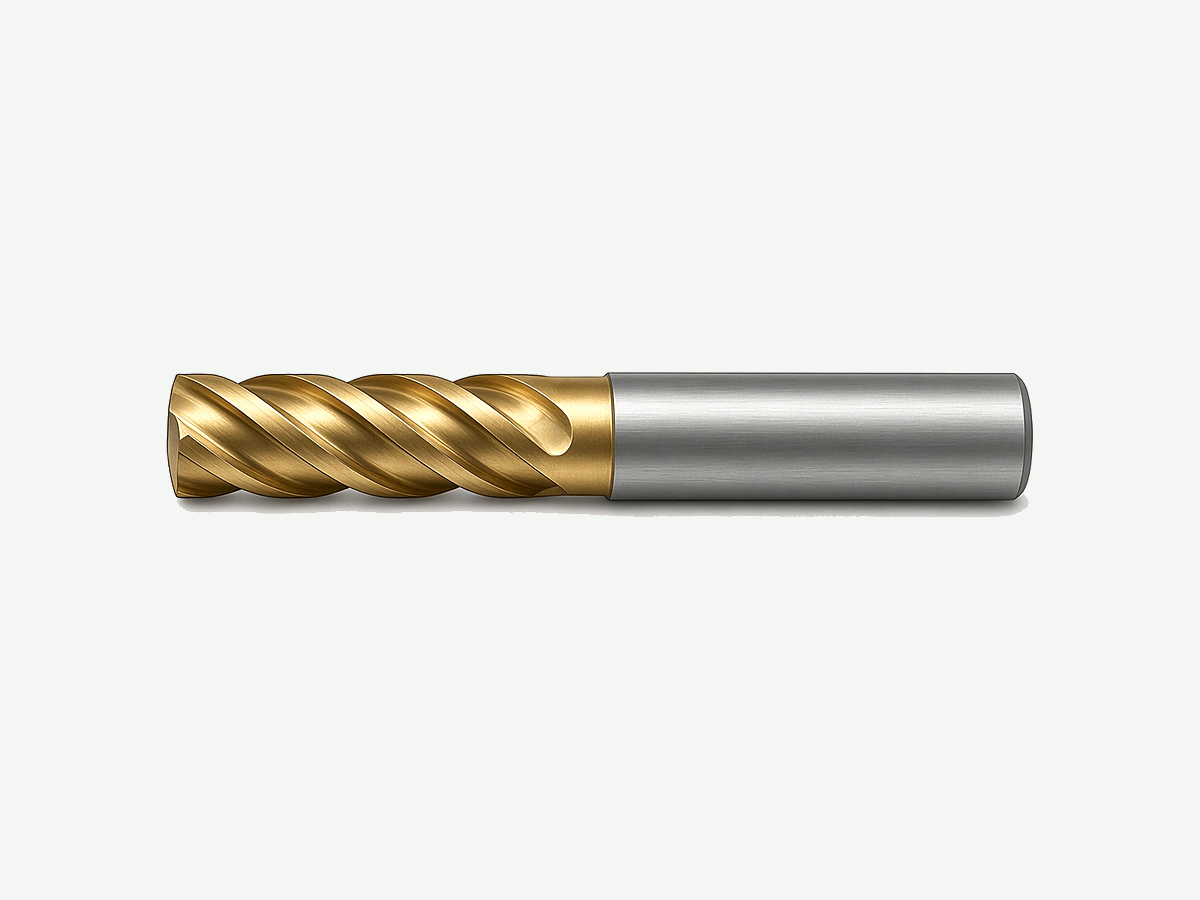
Specification fields to confirm
- Proposed tool model or drawing.
- Diameter, flute count, corner style, and effective length versus wall height.
- Material group and edge or coating configuration notes.
- ae / ap and projection band agreed for first-off.
- Inspection and sample acceptance expectations.
- Identifiers needed for repeat orders.
Trial plan (minimum)
- Same drawing revision and acceptance criteria as the checklist.
- First-off record before any compensation edit.
- Stop and escalate when size drifts, marks look abnormal, or the edge is damaged.
- Do not claim the route “won” without those controls.
Review listed constructions here: explore carbide end mills. Research and practice portals such as this CIRP research portal (also cited above for process research framing) and ISO public information such as this international standards overview support industry literacy only.
Request a matched end-mill proposal
Suggested enquiry subject: Peripheral / side milling - [feature] - [material] - [ae/ap intent]
Peripheral Milling FAQ
What is peripheral milling?
Peripheral milling (side milling) removes stock mainly with the cutter periphery against a wall or shoulder, with feed along the feature. It is distinct from face-dominant contact used to generate wide planar tops. Historical plain or standard milling labels often describe the same side-edge idea on older machines.
When should I use side milling instead of face milling?
Use side-edge engagement when wall or shoulder size and finish drive acceptance. Use face-dominant contact when planar flatness across a wide top is the job. Combine when the part needs both, with separate passes and engagement notes. Do not rank one method as always better.
Does this page cover climb versus conventional milling?
No. This page only notes that feed sense relative to rotation changes chip thickness and side load. Record the sense on the setup sheet. A full climb-versus-conventional guide belongs on its own page when that page is live.
What symptoms suggest ae is too large for the stick-out?
Vibration marks on the wall, audible chatter, wall taper, or size drift that improves when you shorten projection or reduce radial engagement. Check holder and clamp rigidity before changing carbide grade. Do not invent a universal maximum ae percentage.
Which end-mill inputs should I send in an RFQ?
Send drawing revision, feature dimensions, material and condition, side-versus-face intent, ae/ap and projection notes, holder and coolant path, candidate diameter and corner style if known, defect risks already seen, and acceptance method. Final SKU is optional when constraints are complete.
Can coating or SFM tables replace this process page?
No. Coating matrices, diameter tables, and full speed-feed libraries are separate OWN topics. This page locks engagement geometry, side-versus-face boundaries, rigidity checks, and the defect checklist that feed those later selections.
Is this page a milling site hub or a holemaking guide?
Neither. Cutter-type navigation stays on the live milling tools guide. Holemaking OWN stays on drilling, reaming, and thread-milling pages. This page is peripheral milling process support only.
When does this page not apply?
It does not apply when you need invented life percentages, prices, ROI, or unverified case counts; when you need a full face-milling exclusive, coating encyclopedia, or SFM library; or when the feature definition is missing and nobody will stop to recover the drawing. Fix the inputs first.
Sources and related guides
Outbound references support milling engagement literacy, face-milling boundary education, machining formula symbols, toolholding and coolant boundaries, standards and metrology portals, cutting-data literacy, CNC milling practice, and manufacturing research portals cited in the body. Manufacturer-specific cutting data remain tied to their own products. The aluminum shoulder walkthrough is an HC editorial teaching aid, not a measured customer result. Sources checked for this draft on 22 October 2026 (Asia/Shanghai).
- Milling knowledge overview (third-party education page; linked in body)
- How to mill overview (third-party education page; linked in body)
- Face milling overview (third-party education page; linked in body)
- Machining formulas overview (third-party education page; linked in body)
- Toolholding overview (third-party education page; linked in body)
- Tool holder technology overview (third-party education page; linked in body)
- Coolant know-how overview (third-party education page; linked in body)
- Engineering calculators portal (third-party tooling education; linked in body)
- Cutting data notes portal (third-party tooling education; linked in body)
- Codes and standards portal (public standards entry; linked in body)
- Public metrology laboratory entry (public metrology entry; linked in body)
- Weights and measures overview (public metrology entry; linked in body)
- National standards overview (public standards entry; linked in body)
- International standards overview (public standards entry; linked in body)
- Manufacturing society portal (public manufacturing literacy; linked in body)
- CIRP research portal (third-party research society; linked in body)
- Cutting tools practice overview (third-party education page; linked in body)
- CNC milling overview (third-party education page; linked in body)
Related live guides: milling tools guide · carbide end mills · 4-flute carbide end mills · corner radius end mills · AlTiN coated end mills · custom cutting tool RFQ. Climb-versus-conventional, face-milling exclusives, coating matrices, size tables, SFM libraries, chatter diagnosis, and surface-finish exclusives will be linked here after they publish (soft-note only until live).