
Search results for types of milling cutters often mix catalog names, machine menus, and process advice on one screen. Face milling, end milling, solid carbide, and indexable labels sit side by side without a shared map from the workpiece feature to the next useful page. Process engineers and buyers then open three tabs and still lack a single route for the next decision.
HENTRY publishes this milling tools guide as a task-first hub for CNC machining. You pick a milling task, compare tool-type axes so names do not collide, then jump to a live product family or technical guide. The page does not claim a full stock list and does not dump complete feeds tables or fault trees. Depth content stays on sibling guides; product specifications stay on product pages.
Browse Milling Tools jumps to the task cards. View Selection Guide opens the type comparison; the selection table sits further down under the same guide path.
Start with the milling task, face, sidewall, pocket, or profile, then compare solid versus indexable and end versus face cutter roles. Use this hub to reach the product family or technical guide that matches your next decision. Full speeds-and-feeds tables and fault trees stay on sibling guides; here you confirm the route, not the entire recipe. Keep the traveler honest: blank fields stay blank until review closes them.
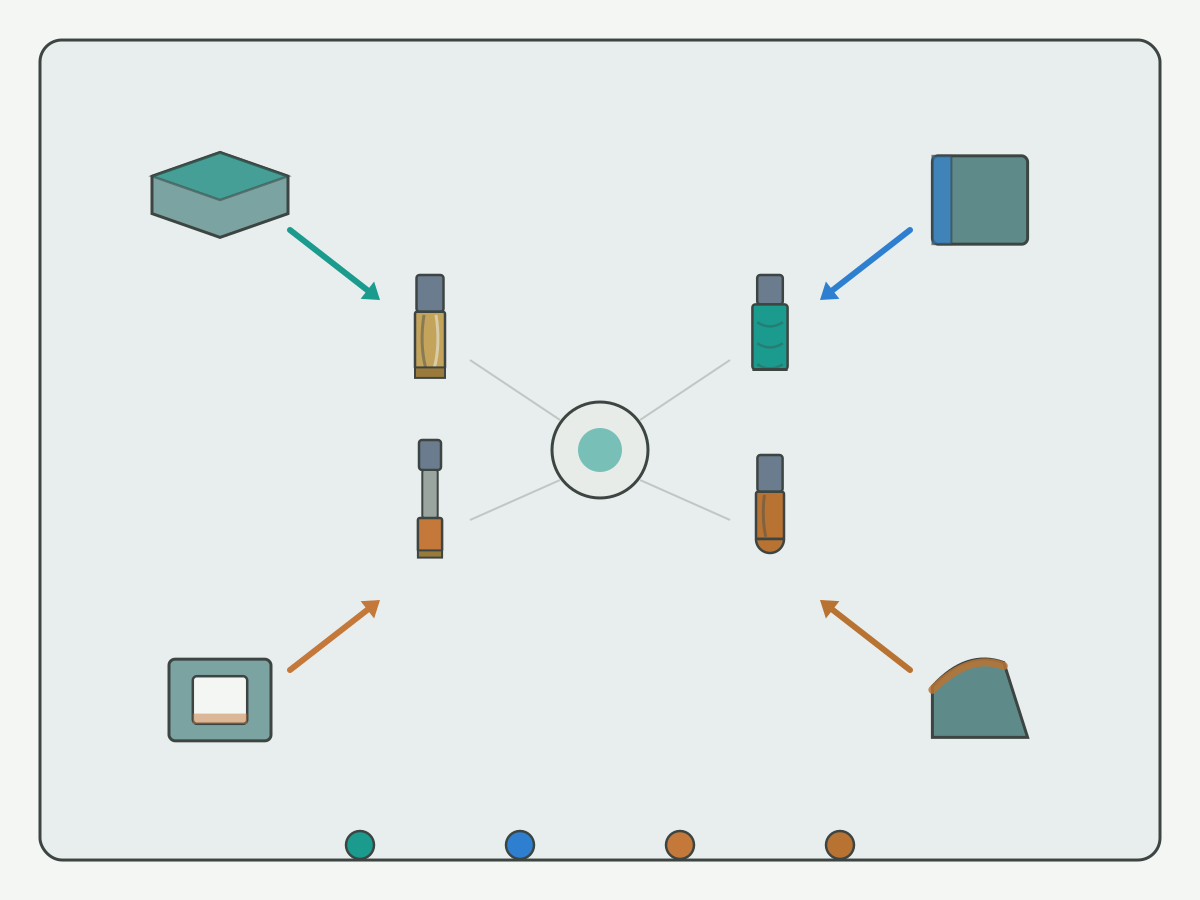
Choose an Entry by Milling Task
Use the feature on the part as the first filter. Each card below states the workpiece feature, a candidate cutter direction, and the next step. Cards are not ranked by publish date. Confirm items stay open until material, machine, and drawing review close them. If one setup mixes two features, complete both cards before you merge tools on the program sheet.
Face milling entry
Workpiece feature. Large planar faces, boss tops, and pads that need a flat or lightly stepped surface. Include datum faces that set the rest of the fixture when flatness drives downstream operations.
Candidate tool direction. Face mills and related indexable face bodies when width and depth favor a dedicated face role; solid end mills for smaller faces or when the same tool must also finish walls later. Do not default every flat to the largest body in the crib without checking spindle and holder limits.
Next step. Open the type comparison for solid versus indexable and end versus face, then move to a live product family or a material guide. Confirm machine power, holder stiffness, step-over plan, and coolant before you lock a body diameter.
Confirm items. Stock allowance, flatness callout, entry strategy, shared setups with sidewalls, and whether a finish pass needs a different series than the rough pass.
Sidewall entry
Workpiece feature. Vertical or near-vertical walls, shoulders, and open profiles where wall finish and straightness matter. Include thin walls that limit radial engagement even when the nominal depth looks modest.
Candidate tool direction. Solid carbide end mills for many wall and shoulder jobs; longer-reach solid tools when stick-out is forced by the fixture; indexable end mills when insert economy and larger diameters fit the machine. Separate roughing and finishing tools on the traveler when wall tolerance demands it.
Next step. Compare construction axes, then open the carbide end mill product path when a solid series is the likely route. Soft-point chatter and coating questions to the navigation group below rather than inventing a recipe here.
Confirm items. Wall height, corner radius, tool stick-out, runout tolerance, coolant reach along the wall, and whether climb or conventional paths are already locked on the traveler.
Pocket entry
Workpiece feature. Closed or semi-closed cavities, slots that behave like pockets, and floors that need controlled step-down. Treat blind corners and islands as part of the pocket definition, not as afterthoughts.
Candidate tool direction. Solid end mills for many pocketing and slotting paths; indexable options when pocket size and machine power support larger bodies; avoid treating a face mill as a default pocket tool. Corner radius on the tool must fit the print corner, or the row becomes engineering-confirm.
Next step. Match pocket depth and corner needs to solid versus indexable, then use product or handbook navigation for related scope. Keep full pocket feeds tables on sister pages when they publish.
Confirm items. Pocket depth-to-diameter, corner radius versus tool radius, floor finish, chip evacuation, coolant reach at full depth, and rest-machining needs after the primary pocket tool.
Profile entry
Workpiece feature. Outer contours, 2D or 3D profiles, and blended edges where the tool follows a programmed path more than a flat face. Include profiles that share fixtures with walls or pockets so tool reuse stays visible.
Candidate tool direction. Solid end mills for many profile and contour paths; ball or specialty forms only when the drawing demands them and the catalog or custom path supports them; PCD milling cutters when the material and series fit after review.
Next step. Confirm whether the profile shares tools with walls or pockets, then open the matching product family. Custom geometry goes to RFQ only after task and drawing fields are ready.
Confirm items. Tolerance band, cusp height targets if used, toolpath style, holder clearance on steep walls, and whether a standard series can meet the edge without a custom grind.
Compare Tool Types: Solid vs Indexable, End vs Face
Shop language often collapses four ideas into one label. Separate the axes before you open a second page for the same cutter. The comparison board is an illustration for classification, not a stock photo of a finished job.

Construction axis: solid versus indexable
Solid cutters carry the cutting edges in one piece with the body. They suit many smaller diameters, detailed profiles, and jobs where runout and flute form dominate. Regrind or replace the whole tool when the edge is spent, per your process rules. Solid construction also keeps the flute volume tied to one body design, which matters in deep pockets.
Indexable cutters mount replaceable inserts on a body. They suit larger diameters, face-heavy stock removal, and plants that standardize insert grades across machines. Edge renewal is insert change, not always a full body swap. Body stiffness, insert seat condition, and spare insert policy belong on the confirm list.
Neither axis alone picks the task. A solid end mill and an indexable end mill can share a sidewall job description while differing in cost model, diameter range, and spare strategy. Write both the construction and the task on the setup sheet so nicknames do not hide a second tool.
Task axis: end milling versus face milling
End milling roles focus on walls, pockets, slots, and profiles where the tool periphery and end face share the cut. Depth, corner radius, and flute volume matter early. Stick-out and holder choice often decide whether a solid series can finish the wall without chatter notes.
Face milling roles focus on wide planar cuts where the face of the cutter carries most of the engagement. Width of cut, insert density, and machine power matter early. Entry and exit strategies on the face change load even when the catalog diameter stays fixed.
When a catalog title mixes both words, read the drawing feature first, then map to the axis above. Do not create two hub entries for one tool just because the name includes both end and face. If one body truly serves both roles in one setup, say so on one traveler line with both axes filled.
| Axis | Question to ask | What a yes usually points toward | What still needs confirm |
|---|---|---|---|
| Solid vs indexable | Do you renew the edge by regrind or replace of a solid body, or by insert change? | Solid series path or indexable body path | Diameter band, holder, spare strategy |
| End vs face | Is the primary feature a wall, pocket, or profile, or a wide planar face? | End-milling role or face-milling role | Shared setups that need both roles in one fixture |
| Name collision | Does the shop nickname mix construction and task words? | Rewrite the nickname on the traveler with both axes | Avoid duplicate page opens for the same SKU |
Jump by Workpiece Material (Live Guides Only)
Material labels help only when a live guide exists. This hub does not invent applicability promises from a color chip or a family name alone. A steel stamp on the traveler is not a substitute for grade and condition fields.
For machinability and material selection context, start with the machinability and material selection guide. Use it to frame family, condition, and what to send for review before you treat a milling series as settled. Bring hardness or temper notes when you have them; leave them blank when you do not.
When the next decision is aluminum threading support rather than a bulk face or pocket route, use thread milling versus tapping in aluminum as a soft support link. That page owns the aluminum thread path comparison; this hub only points there so aluminum thread work does not get rewritten inside the milling task cards.
Steel and cast-iron milling labels do not yet have dedicated live sister guides on this site. Keep those tags as soft notes on the traveler and route through machinability review plus product confirmation instead of empty hrefs. New material guides can hard-link here after they publish. Until then, do not invent a steel milling deep-dive on this hub.
Navigate Speeds, Size, Coating and Chatter Guides
Each group below starts from a shop question, then offers one main next step. This hub does not copy full parameter tables. If a sister URL is still planned, the soft note says so in plain language.
Cutting speed and feed questions
User question. Where do I find milling feeds and speeds without guessing from a cutter photo?
Main entry. For end-milling spindle speed, feed rate, chip load, chip thinning and evacuation checks, open speeds, feeds and chip control. Keep numeric windows on approved process sheets. Do not paste a full feeds matrix into this hub, and do not treat a handbook overview as a substitute for a validated traveler.
Size and geometry questions
User question. How do diameter, flute count, and corner radius map to my feature?
Main entry. Use the task cards and the selection table to list feature size and confirm items, then open the live product page for series geometry. A dedicated milling size guide remains planned; soft-note it until publish. Blank numeric cells on the selection table are better than invented diameters.
Coating questions
User question. Which coating belongs on this material and task?
Main entry. Coating choice needs material, coolant, and speed context from engineering or a future coating guide. Soft-note planned coating guidance; do not invent a coating recipe, life claim, or absolute temperature limit on this page. Product pages may list available coatings for a series after you open the live family.
Chatter and vibration questions
User question. The wall rings or the face shows chatter marks. Where do I go next?
Main entry. A dedicated chatter guide is planned and not published yet. Soft-note it, stabilize stick-out and holder setup per plant practice, and bring photos plus tool and feature fields when you request review. This hub will not host a full chatter fault tree or publish a universal RPM offset chart.
Related Products and Selection Inputs
Two milling product families are live and may appear once each as next steps after task and type comparison. They are commercial entries, not substitutes for the task cards or the type compare.
Review our tapered carbide end mills product information and share your application requirements.
Review our micro end mills product information and share your application requirements.
Review our lollipop end mills product information and share your application requirements.
Browse carbide end mills when a solid carbide end-mill series is the likely path for walls, pockets, profiles, or smaller faces. Browse PCD milling cutters when a PCD milling series is under review for a matching material and feature set. Open only the family that matches the current decision so you do not duplicate the same question on two product tabs.
Before either page can finish selection, prepare workpiece material and condition, milling task and feature sizes, machine and holder limits, coolant notes, and a drawing or clear photo. Missing fields should stay blank rather than filled with guesses. Custom requests still need those inputs even when the RFQ link is the closing action.
Other catalog paths named in planning documents, including turning-tool style product URLs, are unpublished at draft time. Soft-note them as unpublished and omit empty links until CEO confirms a live URL. Do not preview 404 paths as if they were catalog pages.
Selection Table
Use one row per real task or series direction. Mark standard, custom, or engineering-confirm honestly. Blank numeric cells stay blank. The table is a routing aid; it is not a feeds chart and not a price list.
| Task | Workpiece feature | Candidate tool type | Confirm items | Product entry | Guide entry |
|---|---|---|---|---|---|
| Face mill planar stock | Wide flat face or pad | Indexable face mill or solid end mill for small faces | Width of cut, power, flatness, coolant | Standard series after review; custom if body is nonstandard | Type compare on this hub; material via machinability guide |
| Sidewall / shoulder | Vertical wall, open shoulder | Solid carbide end mill; indexable end mill for larger diameters | Wall height, stick-out, corner, runout | Carbide end mills product (live); standard or engineering-confirm | This hub compare; chatter guide planned |
| Pocket / cavity | Closed pocket, floor and walls | Solid end mill; indexable when size allows | Depth to diameter, corner versus tool radius, evacuation | Carbide end mills product (live) | Handbook related scope; feeds guide planned |
| Profile / contour | Outer or 3D profile | Solid end mill; specialty form if drawing requires | Tolerance, toolpath, standard versus custom grind | Standard or custom; engineering-confirm for form tools | This hub task card; RFQ when custom |
| Aluminum thread support (soft) | Internal thread in aluminum | Thread mill versus tap decision (not a bulk face mill) | Thread spec, aluminum grade, sync limits | Per thread guide and product rules | Thread milling versus tapping aluminum (live) |
| Non-ferrous series review | Feature set suited to PCD milling after review | PCD milling cutter series | Material, feature, machine, drawing | PCD milling cutter product (live); engineering-confirm common | Machinability guide plus engineering confirm |
| Steel or cast iron tag only | Any milling feature in steel or iron | Candidate to be decided after material review | Grade, hardness, feature, machine | Engineering-confirm; no empty product href | Machinability guide; dedicated steel or iron milling guide not live |
Evidence Notes and FAQ
Evidence on this page. The task-to-tool map and the solid versus indexable plus end versus face board are illustrations for navigation. Live guide and product links are listed once each in the body. No customer case summaries are claimed on this draft because no approved case package is attached.
What is not claimed. Tool life multipliers, percentage gains, prices, absolute temperature limits, and full stock availability are out of scope. Deep feeds and fault content stay on sibling pages when they publish. Product photos on this page are display references for series introduction, not proof of a completed job.
Milling Tools Guide FAQ
How do I choose a milling cutter from the machining feature?
Start with the task cards for face, sidewall, pocket, or profile. Match the workpiece feature to a candidate cutter direction, then open the product family or sister guide that fits the next decision. Confirm material, feature size, machine limits, and coolant before you treat any candidate as final.
What information should I prepare if the alloy grade is unknown?
List the material family, hardness or temper if known, feature sizes, machine and spindle limits, coolant route, and a drawing or photo of the feature. Send that package for review instead of asking for a guarantee from incomplete data. Unknown grade fields stay blank until engineering can confirm.
What is the difference between this technical guide and a product catalog?
This page routes from milling task to tool-type comparison and the next guide or product entry. A product page covers series, geometry options, and purchase selection. Full speeds tables and fault trees belong on sibling guides, not in this hub.
When should I look at solid carbide end mills versus PCD milling cutters?
Use solid carbide end mills when you need a standard solid construction for general milling tasks and geometry options on the product page. Use PCD milling cutters when the application calls for a PCD milling series after material and feature review. Confirm material, task, and drawing before you pick a family; this hub does not publish life or rate claims.
Where do milling speeds and feeds live if they are not on this page?
This hub only points to the next guide for feeds, size, coating, or chatter questions. For end-milling speeds, feeds, chip load and chip control, use speeds, feeds and chip control. Keep full parameter tables off this page.
How should I read solid versus indexable and end versus face labels?
Treat construction and task as two separate axes. Solid versus indexable describes how the cutting edge is built and replaced. End versus face describes the primary milling role on the part. The same shop name can sit on more than one axis, so compare both dimensions before you open a second entry for the same tool.
What belongs in the milling selection table before I request a quote?
Fill task name, workpiece feature, candidate tool type, and the confirm items you still need. Mark the row as standard, custom, or engineering-confirm honestly. Leave blank numeric cells blank. Add the live product entry and guide entry only when those URLs exist.
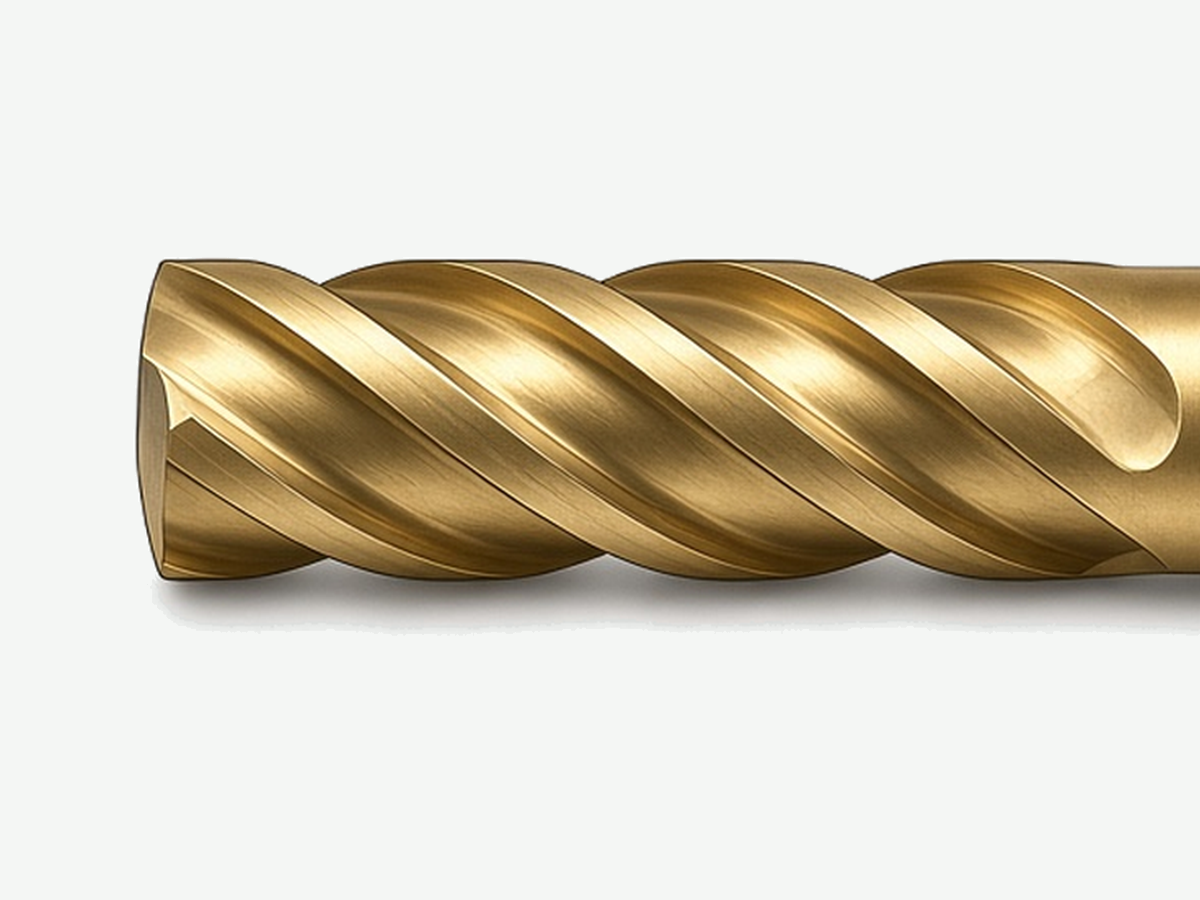
Request Custom Cutting Tool Support
When the task cards and type compare still leave a custom geometry or unclear material path, send material, feature, and drawing fields for review. HENTRY quotes to the inputs you provide rather than to a blank request. Attach the selection-table row you already filled so the review starts from the same task map.