
Quick answer
Spindle rotation is not the same as thread hand. Separate internal versus external geometry, right-hand versus left-hand form, and the toolpath sense you will cut in a stated coordinate system and viewing direction. Draw the four-case path map before you edit arcs or offsets, check entry and exit against tool permission, then verify the resulting thread form. Do not treat this direction map as a Haas control checklist, a Fusion setup page, or a pipe-form essay.
Programmers often inherit a posted thread-mill orbit, flip one arc modal, and cut without writing whether the feature is an internal hole or an external boss, whether the print is right-hand or left-hand, or which machine axes and viewing direction the path was drawn in. The first part then fails gauge with the opposite hand, or a later shift cannot reproduce the helix sense. This Knowledge page owns the four-case path map (internal/external times right-hand/left-hand), the separation of spindle rotation from thread hand, stated coordinates and viewing direction, entry/exit permission, and form verification before product inquiry. Start with the thread milling guide for cluster navigation, then use the thread mill selection guide when the candidate family is still open. Geometry contrasts between single-form and multi-form tools stay on the single-form vs multi-form thread mills guide. Callout reading stays on the metric and UN thread mill callouts guide. Hole, entry, and centre-path clearance geometry stays on the thread mill diameter vs hole clearance guide. Aluminum mill-versus-tap tradeoffs stay on the sibling thread milling vs tapping aluminum guide. Use the live thread milling programming guide for the machine-agnostic verification checklist. Product geometry and inquiry live on the thread mill product page.
Jump: Identify ID or OD · Hand and starts · Spindle vs path · Draw path · Entry and exit · Verify form · Confirm · FAQ · Sources
Identify internal or external thread
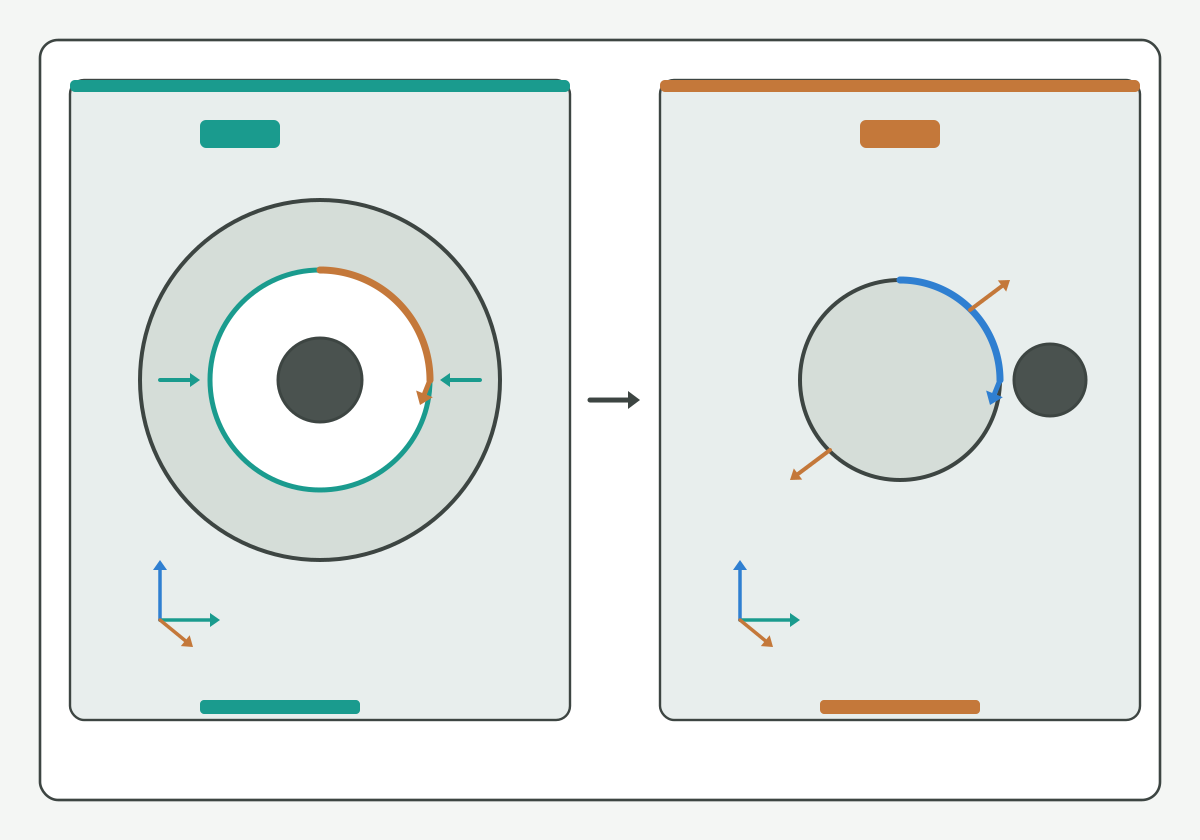
Illustration schematic: internal ID hole with tool inside versus external OD boss with tool outside, with coordinate and view placeholders - teaching layout only; not an official controller or CAM screenshot, catalog claim, or life claim.
Write the feature class before you inherit or edit a helix:
- Internal (ID): the cutter works inside a prepared hole or bore; centre-path clearance and entry envelope stay on the thread mill diameter vs hole clearance guide;
- External (OD): the cutter works around a boss or shaft; approach and exit clearances differ from the ID case and must be named on the traveler;
- Tool permission: the selected family must be permitted for ID, OD, or both on the plant traveler - do not assume every thread mill cuts both;
- Stop rule: if the print or model does not state internal versus external, Soft HOLD - do not invent the feature class from a posted orbit alone.
Thread-milling process literacy such as this thread milling process overview and this thread milling resource overview supports naming ID versus OD setups without publishing an HENTRY universal path table. For Autodesk Fusion versioned setup and offset-field checks, see the live Fusion thread milling setup guide. Soft note (guide forthcoming, no empty hard link): Haas plane/G02/G03 proving will sit on a dedicated Knowledge page when published; keep only feature-class identity here.
Start here: ID or OD written on the traveler, or Soft HOLD - never "same orbit as last job."
Define thread hand and number of starts
Lock the form language the print already uses before you map a toolpath sense:
- Right-hand (RH) / left-hand (LH): the thread form hand on the print, not a habit from the last posted file;
- Number of starts: single-start versus multi-start must match the callout; multi-start lead language stays tied to the print, not to a guessed pitch step;
- Callout system: metric versus UN (and related) reading stays on the metric and UN thread mill callouts guide;
- Form family: single-form versus multi-form cutter geometry contrasts stay on the single-form vs multi-form thread mills guide;
- Unknown / mixed: mark [NEEDS VERIFICATION] when the print hand, the model annotation, and the posted helix disagree.
Standards literacy such as this codes and standards portal, this national standards overview, and this international metrology portal keeps hand and start language public. Soft note (guide forthcoming, no empty hard link): pipe-form NPT/BSP morphology will sit on a dedicated pipe-thread Knowledge page when published; keep only RH/LH and starts here.
Hypothetical teaching note (not a verified HC customer case; [NEEDS VERIFICATION] for any plant use): a specimen traveler may show an RH callout while the inherited orbit was posted for an LH habit on another fixture. Label the mismatch Soft HOLD; do not treat either file as a universal hand recipe.
Start here: hand and starts written from the print, or Soft HOLD.
Separate spindle rotation and toolpath direction
Treat spindle rotation and toolpath direction as two different fields:
- Spindle rotation: how the cutter spins in the spindle (CW/CCW relative to the machine convention your plant already uses);
- Toolpath / helix sense: the orbit direction and Z (or free-axis) step that generate the thread form on the feature;
- Thread hand: the RH/LH form on the print - already locked above;
- Ban: do not collapse spindle rotation, helix sense, and thread hand into one unlabeled "direction" edit;
- Evidence status: measured on this setup, inherited, or [NEEDS VERIFICATION].
Public G-code and coordinate literacy such as this open G-code reference overview, this coordinate system G-code overview, this NIST RS274NGC interpreter publication, and this CNC G-code literacy overview help name rotation and path fields without inventing an HENTRY controller table. Soft note (guide forthcoming, no empty hard link): Haas plane/G02/G03 pairing and Fusion offset-field landing will sit on dedicated Knowledge pages when published; keep only the spindle-versus-path separation here.
Threading knowledge literacy such as this threading knowledge overview and this threading article overview stays discovery only; brand parameter sheets are not HENTRY recommendations.
Start here: spindle field and path field written as a pair, or Soft HOLD - never "direction looked fine in simulation alone."
Draw the path in stated coordinates
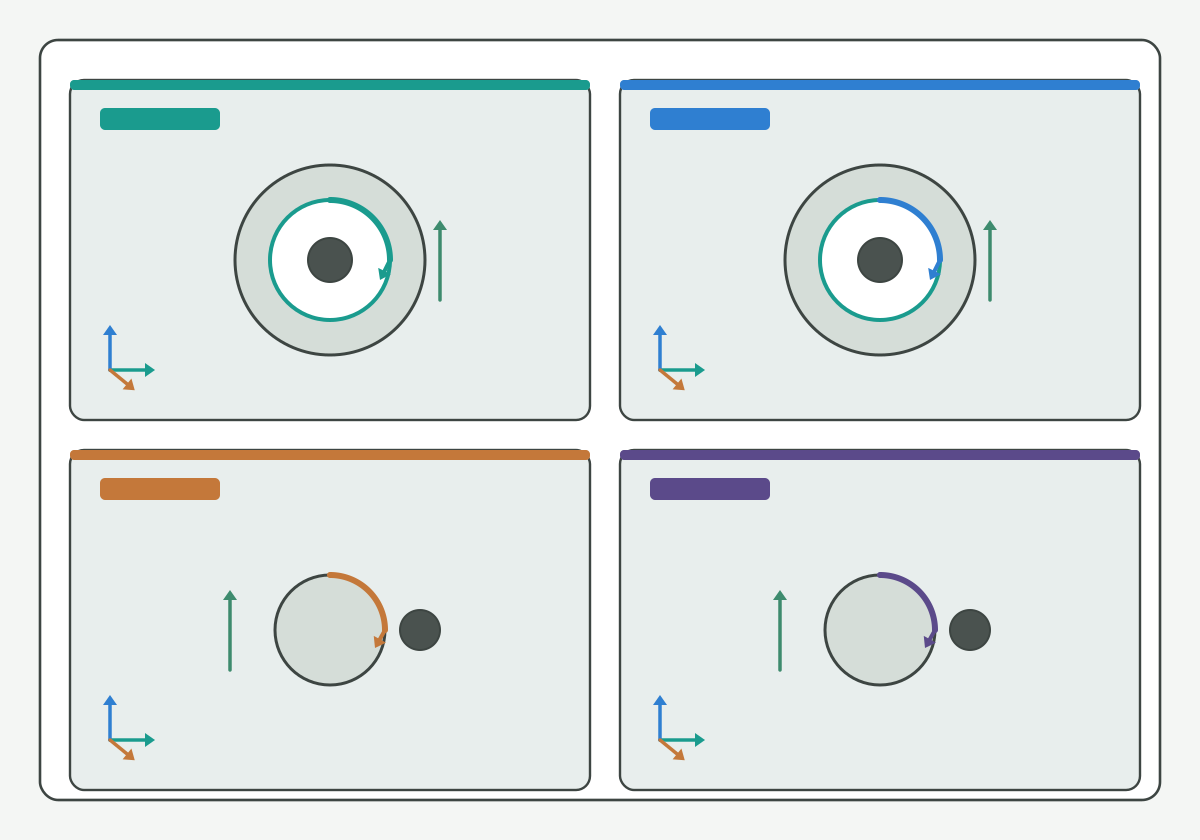
Illustration schematic: four-case path map in a two-by-two grid for ID and OD clockwise and counterclockwise orbits with readable axes - teaching layout only; not an official CAM or controller screenshot, ranked case photo, or life claim.
Draw or restate the orbit only after coordinates and viewing direction are explicit:
- Coordinate frame: which machine or work axes the helix is written in (for example XY with Z pitch step, or another plant-stated pair);
- Viewing direction: from which end of the feature the CW/CCW sense is claimed (looking toward the spindle, looking from the free end, or another plant convention);
- Four-case skeleton: internal RH, internal LH, external RH, external LH - each cell needs feature class, hand, path sense, and view note;
- Absolute / incremental: whether the posted helix uses absolute or incremental addresses must match how your plant audits posts;
- Unknown / mixed: mark [NEEDS VERIFICATION] when the posted block and the traveler view note disagree.
Hypothetical teaching cell (not a verified HC customer case; [NEEDS VERIFICATION] for any plant use): an internal RH feature drawn in a stated XY frame looking toward the spindle may use one path sense, while the same RH callout on an external boss under the same view note uses a different orbit. Label each cell before you compare first-part results; do not treat one cell as proof of a universal direction recipe.
NC simulation literacy such as this NC simulation verification overview and CAM documentation literacy such as this CAM support and documentation overview support naming path checks without claiming an HENTRY-certified post. Continue on the live thread milling programming guide for the controller-agnostic verification checklist after the four-case map is written. Soft note (guide forthcoming, no empty hard link): Fusion simulate/posted landing and Haas control proving will sit on dedicated Knowledge pages when published.
Start here: coordinates and viewing direction written with the four-case map, or Soft HOLD.
Check entry exit and tool permission
Lock entry, exit, and permission before you trust feed or compensation edits:
- Entry: how the tool arcs or ramps into the helix without colliding with the floor, boss, or fixture;
- Exit: how the tool leaves the helix without trailing a damaged form or rubbing a finished crest;
- Centre-path / clearance: tool diameter versus hole or boss stays on the thread mill diameter vs hole clearance guide;
- Blind depth: full-thread depth and floor envelope detail stay on the live blind-hole thread milling depth guide when depth is the open question;
- Tool permission: ID/OD permission, form family, and Soft HOLD flags must match the traveler before you release a cut.
Compensation-field essays stay on the live thread mill cutter compensation guide. Pass stacks and spring-pass judgment stay on the live thread milling pass strategy guide. Feed conversion stays on the live thread milling feed calculator guide; approved-data-to-program feeds stay on the live thread mill speeds and feeds guide.
Toolholding literacy such as this tool-holder interface overview and this toolholding tips overview helps name projection stacks that still change entry clearance after a clean direction map. Coolant path literacy such as this coolant concentration measurement method supports fluid-control language when chips pack in a tight orbit, without inventing an HENTRY pressure guarantee. Thread-milling article literacy such as this thread milling article overview and this thread milling cutter overview stays discovery only.
Start here: entry, exit, and tool permission written, or Soft HOLD - never "clearance looked fine on one view alone."
Verify the resulting thread form
Close the direction check only after an explicit form accept / reject / hold and a revision trail:
- Accept: ID/OD, hand and starts, spindle versus path pair, coordinates and viewing direction, entry/exit permission were written before the cut; the first-part gauge or optical result meets the print band with method named;
- Reject: any critical field was guessed, viewing direction was omitted, spindle and path were collapsed into one unlabeled edit, or the first part fails with the opposite hand;
- Hold: any critical field still [NEEDS VERIFICATION] (feature class, hand/starts, view note, acceptance band);
- Revision fields: who changed which four-case cell, which view note moved, and which traveler revision owns the next tryout - allow blank Soft HOLD model numbers when SKU is still open.
Geometry-inspection literacy such as this tool geometry inspection equipment overview, regrind literacy such as this regrind inspection and economic review overview, and metrology literacy such as this public metrology laboratory entry, this units and measurement guidance, and this weights and measures public entry keep acceptance language public. Soft note (guide forthcoming, no empty hard link): oversize/undersize diagnosis sequences will sit on a dedicated size-error Knowledge page when published; keep only form verification and revision fields here.
Peer-reviewed machining research literacy such as this peer-reviewed machining research journal overview and process research literacy such as this machining process and tool development research overview support naming direction checks as process variables, not slogans. Machining data literacy such as this machining data literacy portal, milling and tapping contrast literacy such as this milling process overview and this tapping knowledge overview, control-family literacy such as this CNC control product family overview, and tool-family literacy such as this threading tools overview, this thread milling tools overview, this thread milling products overview, this threading resources hub, this threading product family overview, this cutting-tool resources hub, and this carbide rod blank portfolio overview stay discovery aids only.
Start here: unverified direction maps are not production releases - even when simulate looked clean.
Confirm the matched tool and validation inputs
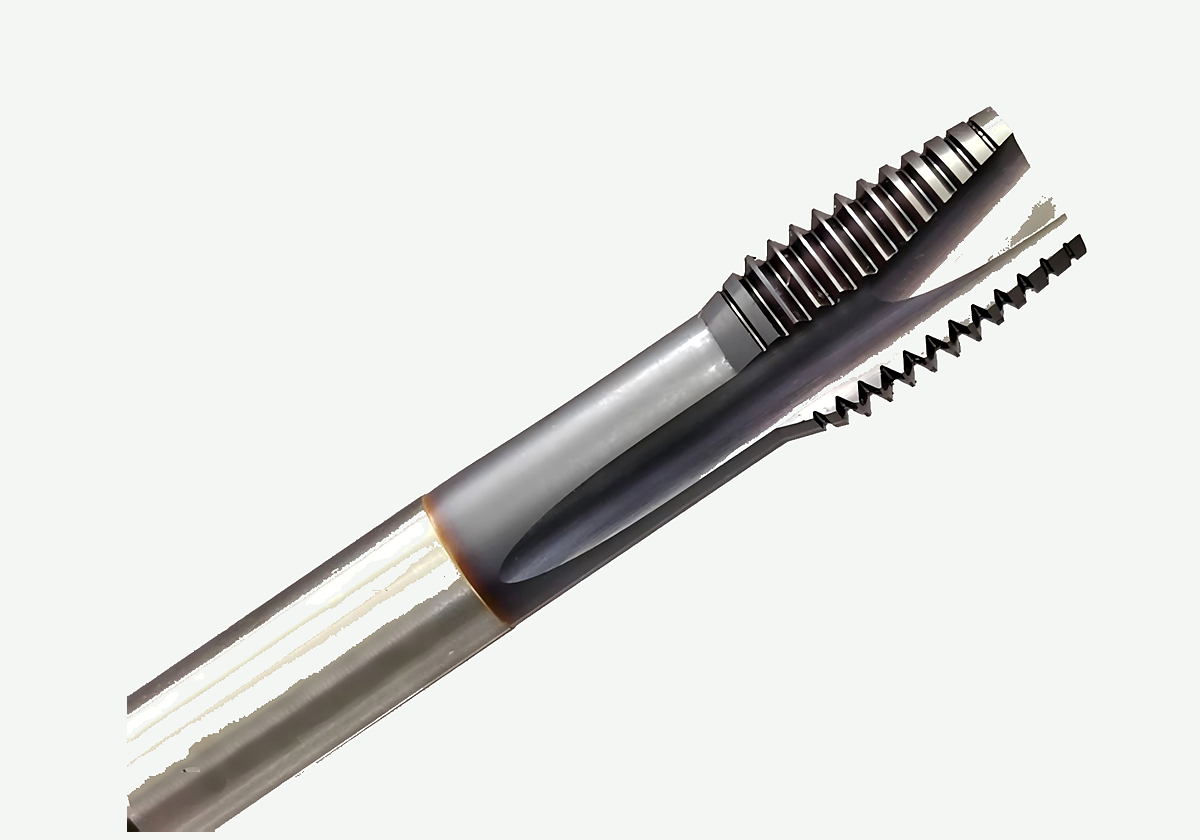
Product photo on paper background for enterprise support - geometry reference only; not a price, life, or ranked case claim.
When ID/OD, hand and starts, spindle versus path, coordinates and viewing direction, entry/exit permission, and form revision fields are written, review the matched tool and validation inputs on the thread mill product page. Bring callout, material, Soft HOLD flags, and first-part notes. Do not ask for a public price on Knowledge pages. Optional drawing or RFQ handoff stays on the custom cutting tool RFQ page when the plant needs a controlled intake path.
CTA: Review the matched tool and validation inputs on the thread mill product page after the direction revision record is written. Programming checklists remain on the thread milling programming guide; compensation-field essays remain on the thread mill cutter compensation guide; this page stops at the four-case path map, spindle-versus-hand separation, stated coordinates, entry/exit permission, and form verification.
FAQ
Is spindle rotation the same as thread hand?
No. Spindle rotation is how the cutter spins. Thread hand is the right-hand or left-hand form on the print. Toolpath or helix sense is a third field that must match both the feature class and the stated viewing direction. Collapsing the three into one unlabeled direction edit leaves the traveler underspecified.
How do internal and external thread-mill paths differ?
Internal paths work inside a prepared hole; external paths work around a boss or shaft. Clearance, entry, and exit envelopes differ, and tool permission may allow only one class. Write ID versus OD before you reuse an inherited orbit.
How should multi-start threads be declared?
Declare the number of starts from the print callout, keep lead language tied to that callout, and mark Soft HOLD or [NEEDS VERIFICATION] when the posted pitch step disagrees. Do not invent multi-start lead from a single-start habit.
When should I use a Haas, Fusion, or pipe-thread page instead?
Use this page for internal versus external, right-hand versus left-hand, spindle versus path, stated coordinates, entry/exit permission, and form verification. Autodesk Fusion versioned setup and offset-field checks belong on the Fusion thread milling setup Knowledge page listed under Sources and related. Soft note only for now: a Haas plane/G02/G03 proving page and a pipe-form NPT/BSP page will sit on dedicated Knowledge URLs when published.
What happens if the viewing direction is wrong?
A wrong viewing direction can reverse how CW versus CCW is read relative to the print hand, so the cut form may fail with the opposite hand even when spindle rotation looks familiar. Rewrite coordinates and viewing direction, then re-map the four-case cell before you release another cut.
Sources and related
- thread milling process overview
- threading knowledge overview
- thread milling resource overview
- threading resources hub
- thread milling cutter overview
- thread milling products overview
- thread milling article overview
- threading article overview
- open G-code reference overview
- coordinate system G-code overview
- NIST RS274NGC interpreter publication
- CNC G-code literacy overview
- NC simulation verification overview
- CAM support and documentation overview
- CNC control product family overview
- codes and standards portal
- national standards overview
- international metrology portal
- public metrology laboratory entry
- units and measurement guidance
- weights and measures public entry
- coolant concentration measurement method
- tool-holder interface overview
- toolholding tips overview
- tool geometry inspection equipment overview
- regrind inspection and economic review overview
- peer-reviewed machining research journal overview
- machining process and tool development research overview
- machining data literacy portal
- milling process overview
- tapping knowledge overview
- thread milling tools overview
- threading tools overview
- threading product family overview
- cutting-tool resources hub
- carbide rod blank portfolio overview
Related live pages: thread milling guide · thread mill selection guide · single-form vs multi-form thread mills · metric and UN thread mill callouts · thread mill diameter vs hole clearance · thread milling vs tapping aluminum · thread milling programming guide · thread mill speeds and feeds · blind-hole thread milling depth · thread milling feed calculator · thread mill cutter compensation · thread milling pass strategy · thread mill product page. Related Fusion setup: Fusion thread milling setup. Soft note only (no empty hard links): Haas control-checks page, pipe-thread NPT/BSP page, and thread size-error diagnosis Knowledge pages are forthcoming.