
A sharp noise appears mid-program. A hole opens oversize after a tool change. A rolled exit burr fails the edge callout. Shops often jump to a new cutter, a blanket speed cut, or an empty contact form before the symptom, timing, and last change are written down. That habit mixes drill, mill, and ream advice and freezes a guess into the next setup.
Start with the symptom, when it occurs, and what changed. Record the tool condition, setup, and measured defect before you adjust the process. Verify each correction against the drawing and the inspection plan. This HENTRY handbook is a cutting-process troubleshooting hub for CNC drilling, milling, and reaming. The same symptom can have more than one cause. Photos and sound are clues, not root-cause proof. Stop for unsafe vibration or severe tool damage under your shop procedure. Machine electrical, servo, and control repair are out of scope. Cutting data must fit material, tool, machine, and process on your traveler, not a universal blog number.
Tool breakage · Chatter · Burrs · Dimensional errors
Which Symptom Should You Investigate First?
Enter the branch that matches what you see on the part or hear at the spindle. The table orders what to record and which first-round checks belong on the traveler. It is a check order, not a one-row root-cause verdict.
| Observed symptom | Record first | First-round checks | Next section |
|---|---|---|---|
| Sudden fracture or edge chipping | When it happened, where on the tool, use stage, fracture face, and chip condition | Path interference, workholding, chip evacuation, and entry load changes | Tool breakage |
| Sharp noise or regular surface marks | Toolpath location, stick-out, spindle speed, and engagement | Tool and workpiece support, runout, and local cutting load | Chatter |
| Burr at hole mouth or part edge | Entry or exit, which edge, and how the burr changes with tool use | Edge condition, material, exit direction, and edge support | Burrs |
| Hole size, slot width, or contour out of tolerance | Measured value, measure location, temperature state, and drift pattern | Measurement method, compensation, tool condition, and workpiece state | Dimensional errors |
Identify What Changed Before the Problem Started
Write one traceable change story instead of a vague “quality got worse” note. Check recent changes in this order when the history is unclear:
- New tool, reground tool, or new tool lot.
- Holder, collet, or stick-out change.
- Material lot, hardness, or condition change.
- NC program, compensation, entry/exit, or operation order change.
- Coolant delivery or concentration change.
- Fixture, machine maintenance, or measurement method change.
Coolant concentration checks need a product-specific method, not a raw refractometer guess alone. Industry practice for emulsion checks is summarized in this coolant concentration measurement method note: record product factor, instrument zero, and reading limits with the traveler. Output of this subsection: one abnormal description you can hand to the next shift without rewriting the story.
What Causes Cutting Tools to Break?
Breakage is a failure mode with timing, location, and load history. Treat tip fracture, edge chipping, flute damage, and shank failure as different evidence maps. Do not start by rewriting feeds until setup and chip path are named.
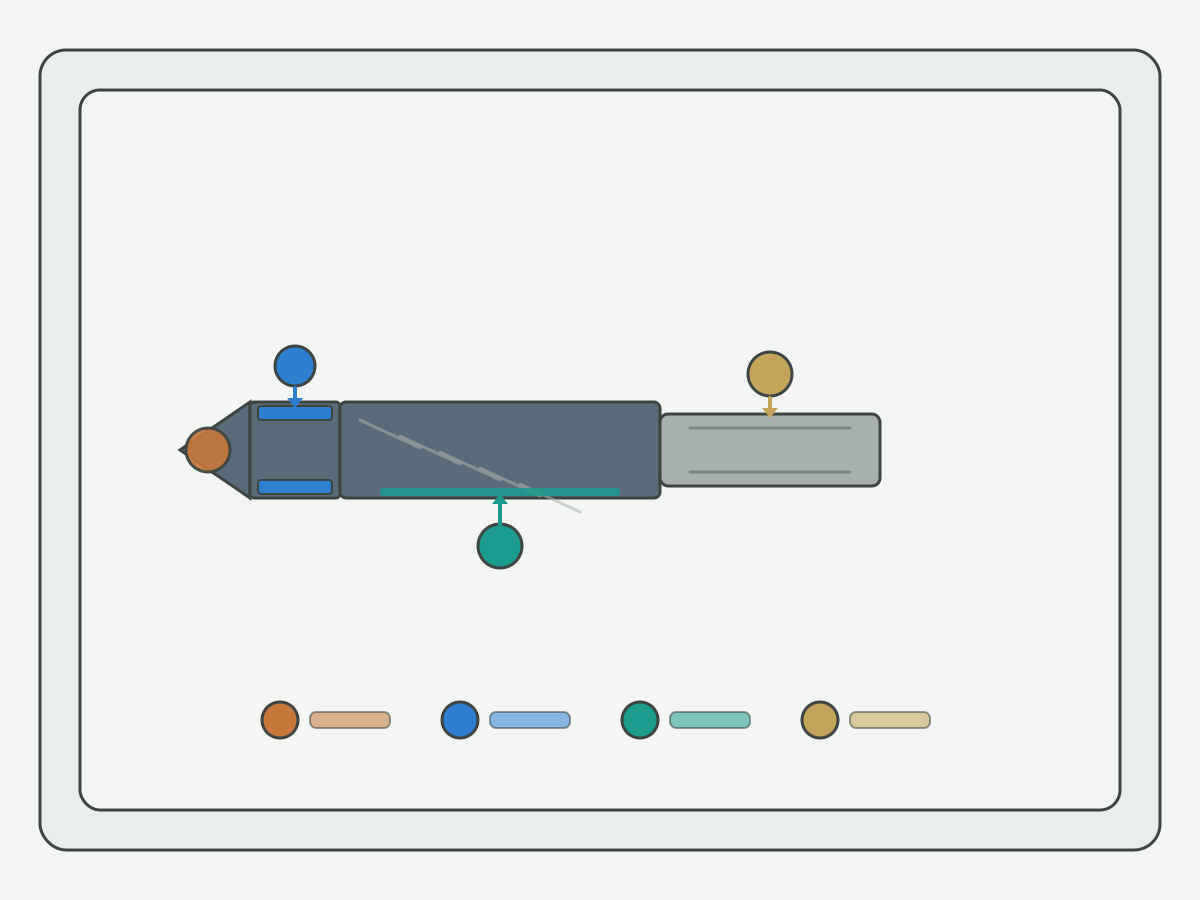
For solid carbide drill fracture trees and common shop causes, use the deep dive on solid carbide drill breakage causes. This hub only locks triage, timing, and setup order so drill, mill, and ream advice stay separate.
Separate Sudden Fracture, Edge Chipping and Progressive Wear
Sudden fracture often pairs with collision, packing, or an abrupt load step. Edge chipping often pairs with interrupted entry, unstable support, or an edge already compromised. Progressive wear builds measurable corner or flank change before the tool finally fails. Wear mode naming belongs on drill wear types; use that page when the question is which wear mode you are seeing, not only that the tool broke.
After heavy use, decide whether to continue, regrind, or scrap with measured geometry, not with a hope that “one more shift” will hold. Regrind screening notes from tooling service practice (inspection before grind, economic review, and post-grind size or form checks) are outlined in this regrind inspection and economic review overview. Do not treat any service page percentage or savings claim as an HENTRY life guarantee.
Use the Failure Timing to Narrow the Checks
Ask when the failure appeared: first hit, mid-depth, breakthrough, after a tool change, or after a long stable run. First-hit failures push you toward path interference, entry strategy, and assembly runout. Mid-depth failures push you toward chip packing, coolant delivery, and flute load. Breakthrough failures push you toward exit support and feed at breakout. Cross-hole or interrupted features need their own timing notes; open interrupted cut and cross-hole drilling checks when the failure lines up with an interruption rather than a continuous cut.
Deep-hole and high L/D work adds guidance and coolant-path checks that a short hole never sees. Use process overviews such as this deep-hole drilling process overview only to list application fields (diameter, depth, material, coolant, yield). Numeric pressure or L/D windows stay on your machine and tool approval sheets.
Check the Setup Before Changing Cutting Data
Before you rewrite spindle speed or feed, confirm holder seating, stick-out, workholding, chip evacuation, and coolant path at the tool. Interface contamination can move assembled runout even when the loose tool looks fine. Holder interface cleaning as a runout-control step is explained in this tool-holder cleaning guidance for runout control. Pair that habit with the HENTRY stick-out and assembly method on carbide drill stick-out and runout with toolholders.
When chip packing forces intermittent retract on a machining center, compare retract styles inside your control documentation instead of inventing a universal peck recipe. One control-specific high-speed peck discussion (retract path and through-tool coolant emphasis in that document's context) is this high-speed peck drilling cycle note. Do not copy example I/J/K values across unrelated controls or tools.
Micro-drill and guided coolant constructions change how guidance and internal coolant must be confirmed together. A concrete series description of guidance tool, drill, and internal coolant cooperation is available in this micro-drill coolant and guidance description. Treat it as a field checklist for that construction family, not as HENTRY catalog limits.
Confirm the Correction Without Repeating the Failure
After a setup or path correction, prove the change on a controlled trial window: same material state, same assembly, same inspection method. Watch for a second failure mode (for example, fixing packing but creating exit breakout). Product selection for a different drill geometry or coolant construction comes only after the failure mode and setup notes point to tool fit, not before. When that evidence is ready, review solid carbide drills as a selection entry, not as a substitute for the diagnosis record.
How Do You Diagnose Machining Chatter?
Chatter is a regenerative vibration problem that leaves repeating marks and often a sharp acoustic signature. Other marks (feed lines, insert or flute imprint, rubbing) can look similar in a quick glance. Name the mark family before you rewrite the entire program.
Distinguish Chatter from Other Surface Marks
Chatter marks usually show a regular spatial period related to relative vibration between tool and workpiece. Feed marks follow the programmed engagement. Rubbing or built-up edge often looks smeared rather than regularly spaced. If you cannot tell from the part alone, record spindle speed, engagement, and stick-out with a photo of the mark under consistent lighting. Do not treat “it sounds bad” as a complete diagnosis.
Check Tool, Holder, Workpiece and Fixture Stability

Stability has two sides: the tool assembly and the workpiece support. Long stick-out, weak holders, and poor seating raise tool-side compliance. Thin walls, open fixtures, and poorly supported exits raise workpiece-side compliance. Force direction in the cut tells you which support point is missing. Clean and reseat the holder before you blame the cutter blank. For milling fault trees that organize checks across tool, body, machine, workpiece, and cutting conditions as separate correction loops, see this systematic milling troubleshooting checklist. Use it as a discipline for one-change-at-a-time correction, not as a copy-paste parameter set for every HENTRY end mill.
Reaming chatter has its own centering, allowance, and holder habits. When the process is reaming, open PCD reamer chatter and vibration diagnosis instead of applying a milling speed chart to the reamer. Milling support on this hub stays limited to chatter and burr checks; it is not a milling pillar page. When evidence later points to cutter family fit, use carbide end mills only as a selection entry after the stability notes exist.
Review Engagement, Toolpath and Spindle Speed Together
Do not always reduce speed or feed as a first move. Engagement width and depth, toolpath corners, and spindle speed interact. A speed cut that ignores engagement can leave the process inside an unstable lobe or create rubbing. Record linked changes when speed and feed must move together. Research labs that treat geometry, substrate, coating, machine, and strategy as one process system (not a single knob) describe that scope on pages such as this machining process and tool development research overview. Peer-reviewed machining research indexing for deeper mechanism reading starts from this peer-reviewed machining research journal overview. Neither page replaces your prove-out on the actual machine.
Verify More Than the Sound Level
After a stability change, inspect the surface mark, check whether the acoustic signature returns at the same toolpath location, and re-measure critical dimensions that chatter may have disturbed. Tool condition matters: a chipped edge can re-excite vibration even after a stick-out fix. Release only inside the tested engagement and stick-out window.
Why Do Burrs Form, and What Should You Check?
A burr is material that should have separated cleanly at an edge. Location and acceptance language decide the next move. “Deburr” on a traveler is not the same as a measured chamfer or an edge-break callout on the print.
Identify the Burr Location and Acceptance Requirement
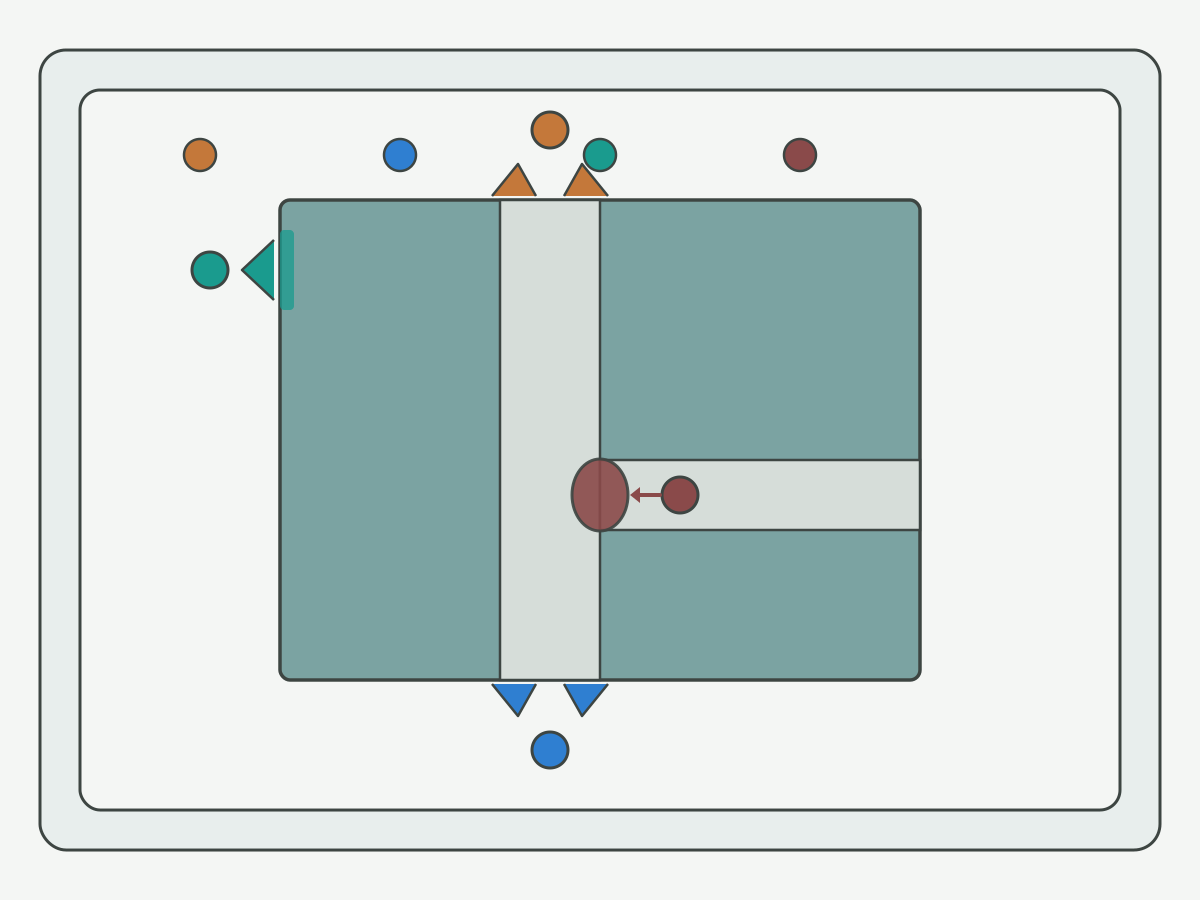
Mark whether the burr sits at entry, exit, a free edge, or a cross-hole intersection. Read whether the print wants edge break, a sized chamfer, or only “no sharp edge” language. Entry and exit burrs after drilling need different first checks than a rolled exit after reaming. For carbide drill exit breakout, use carbide drill exit breakout and burr control. For aluminum reaming exits, use aluminum exit burr control when reaming and, when the PCD reamer path is already in play, PCD reamer aluminum exit burr control.
Check Edge Condition, Material and Exit Support
Dull edges and built-up edge raise exit and edge burrs. Sticky aluminum and soft ductile alloys roll more readily than many cast irons. Exit support, breakthrough feed, and whether the wall is free or backed decide how large the roll becomes. Coating choice can matter for non-ferrous edge retention, but only as a named coating system matched to the job, not as a color on the tool. A carbon-based coating overview aimed at non-ferrous cutting (thin film and edge-retention design language on that page) is this carbon-based coating overview for non-ferrous cutting. Do not convert any coating brochure percentage into an HENTRY life claim.
Separate Burr Prevention from Burr Removal
Three different actions get mixed on the floor:
- Improve the forming cut so the burr is smaller or absent.
- Change operation order, exit strategy, or support.
- Add a chamfer or deburr operation that the print allows.
Removing a burr does not prove the upstream process is stable again. Adding a chamfer must still match the drawing. Tool selection for reachable hole-edge work belongs on CNC hole deburring tools after prevention limits are clear. This handbook does not promise burr-free machining.
Verify the Edge After the Full Process
Inspect the final edge after every operation that can re-raise a burr. Check for residual roll, new burrs from later cuts, and whether deburring changed a sealing land, a seat, or an assembly fit. Internal cross-holes may need a dedicated inspection method the micrometer cannot replace. Keep photos and acceptance notes with the traveler.
Why Are Holes Oversized or Dimensions Out of Tolerance?
Size errors are information-rich only after you separate measurement error, form error, and process drift. A single “hole is big” note is not enough to grind a new diameter into the next tool.
Confirm the Measurement Before Correcting the Process
Agree the drawing size, tolerance, and datum. Confirm the instrument and method fit the feature. Record measure location, direction, and depth. Clean the feature, remove burrs that fake a reading, and note temperature state. Compare clamped versus released states when spring-back matters. Repeat the reading before you rewrite compensation. Display resolution is not the same as measurement system capability.
When tool geometry itself is part of the dispute (length, diameter, edge radius after regrind or before assembly), optical tool inspection practice is summarized on equipment overviews such as this tool geometry inspection equipment overview. Use it to name what was measured on the tool, not to claim HENTRY owns a specific instrument.
Separate Oversized Holes from Form and Position Errors
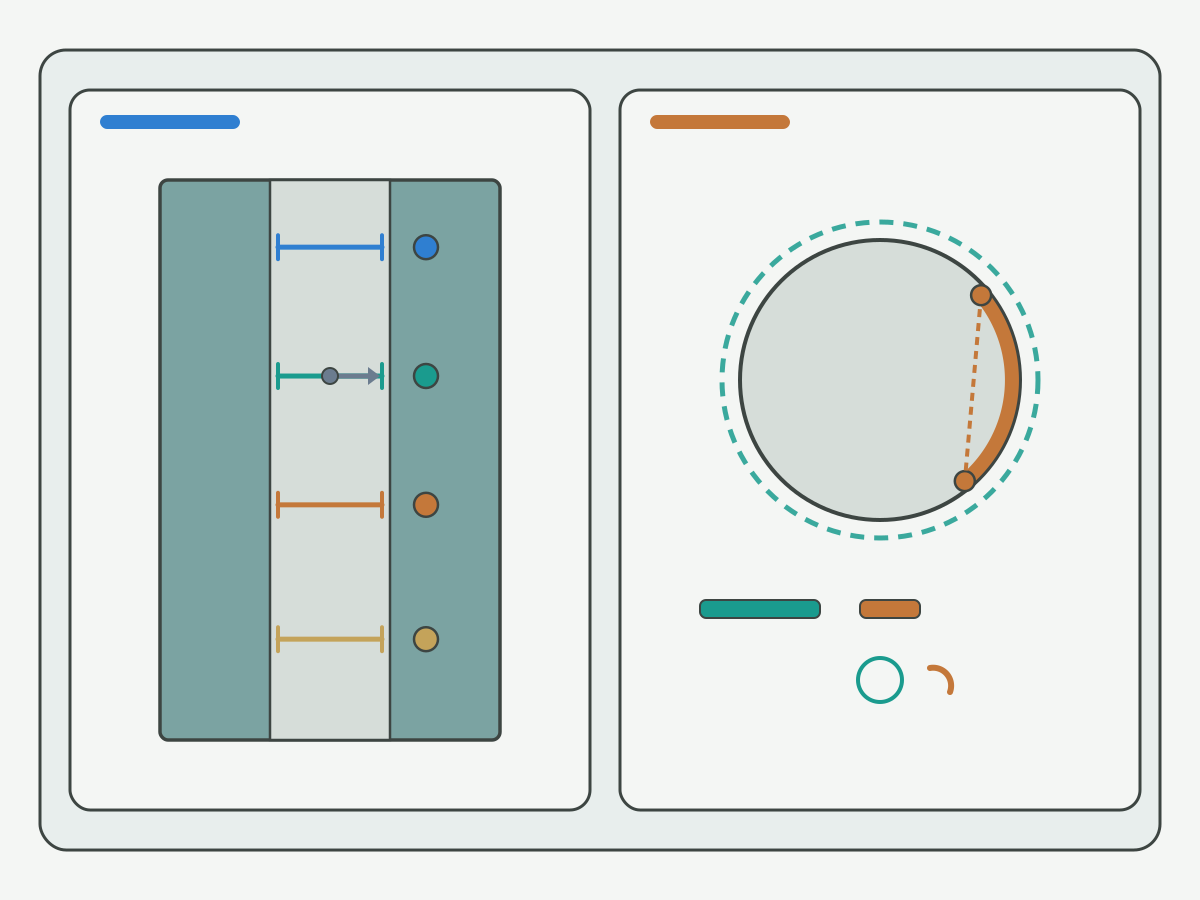
Name the shape before the grind or compensation changes: overall oversize, entry bellmouth, taper, out-of-round or cylindricity trouble, and hole position shift are different faults. A local diameter at one depth does not automatically cover form requirements at other depths or directions. For new carbide drill oversize diagnosis order, use oversized holes with a new carbide drill.
Use Different Checks for Drilled, Reamed and Interpolated Holes
Do not apply one universal diameter fix across processes.
| Holemaking method | Check emphasis on this hub | Do not mix in |
|---|---|---|
| Drilled hole | Entry condition, assembly runout, edge state, chips, and stability | Reamer allowance rules copied onto a drill |
| Reamed hole | Pre-hole state, allowance distribution, centering, tool state, and measure method | Drill peck recipes used as a ream “fix” |
| Interpolated / milled hole | Actual tool size and compensation, toolpath, deflection, and machine motion factors | Drill diameter offset treated as circular interpolation truth |
When reaming is the finishing route and evidence points to reamer family fit, open PCD reamers or carbide reamers only after pre-hole and allowance notes are written. Series discovery language on general reaming architecture pages (for example this reaming tool architecture overview) helps name structure families; it does not transfer another maker's tolerance table onto HENTRY tools.
Classify the Error Pattern Before Applying Compensation
Sort the pattern: fixed bias always present, slow drift over time, step change after a tool change, random scatter, or change after unclamping. Fixed bias points at setup, gauge, or nominal mismatch. Drift points at wear, heat, or coolant. Step change points at the new assembly. Random scatter points at workholding or measurement method. Compensation belongs after cause and process stability are named. Cutting-force monitoring research datasets (metadata-level) such as this cutting-force monitoring experiment metadata show how labs separate estimated force signals from reference measurements; use that mindset when you instrument a prove-out, without claiming the dataset matches your spindle.
Know When a Cutting Tool Cannot Correct the Problem
A hole already past the finished upper limit cannot be restored by removing more material with the same finishing concept. Reaming is not a universal fix for position or form errors. Fixture spring, bad measurement, or machine motion faults need their own owners. Rework and concession follow your approved quality process, not a blog shortcut.
How Do You Validate a Corrective Action?
Turn “try something” into a traceable process check. The goal is a release decision inside a named window, not a lucky good part.
Record the Baseline and the Hypothesis
Write the original defect and when it appears, the suspected cause with supporting evidence, the planned change, the expected observation, and the accept or stop rules. If the hypothesis is weak, gather one more measurement before you change two settings at once.
Control the Change and Record Linked Adjustments
Prefer single-factor or otherwise controlled changes. When speed and feed must move together, write the link explicitly. Do not claim “everything else was constant” if the traveler shows linked edits.
Check Quality, Tool Condition and Repeatability
Validation is more than one size reading. Confirm dimensional acceptance, surface and edge requirements, tool edge condition after the trial, whether the original fault returns, and whether a new defect appeared. Repeatability across the planned prove-out window matters more than a single green light.
Release the Process Only Within the Tested Conditions
Record the release envelope: material and condition, tool and assembly, machine, fixture, program version, coolant condition, inspection plan, and tool-change rules. Do not publish a universal trial piece count on this page. A small run of good parts is not, by itself, process-capability proof.
CNC Troubleshooting Record: What Should You Document?
Use a record you can fill on the floor. The compact field groups below are the body checklist. A downloadable form is not claimed here until a tested file exists.
| Field group | What to capture |
|---|---|
| Workpiece | Part number / revision, material and condition, lot |
| Operation | Drill / mill / ream, feature, location on the part |
| Tool assembly | Tool ID, use state, holder, stick-out, measure location and runout result |
| Cutting conditions | Spindle speed, feed and units, engagement or hole depth, coolant delivery |
| Fault | Symptom, timing, frequency, photo IDs |
| Measurement | Instrument, method, locations, readings, accept criteria |
| Adjustment | Old setting, new setting, reason, linked changes |
| Result | Remeasure notes, tool state, pass / fail / hold |
| Approval | Owner, date, release envelope, follow-up checks |
When Should You Ask for Tooling or Application Support?
Stage the ask so the package matches the open question.
- Cause not located yet: send defect photos and the minimum troubleshooting record fields above.
- Tool fit already indicated: open the matching product entry already linked in the symptom sections, then add only the missing confirm fields.
- Reselection or prove-out needed: send the drawing, quality requirements, and validation target with the record.
Primary action: Send Your Drawing and Troubleshooting Record. First submission should include material and process, drawing or critical sizes and tolerances, current tool and main conditions, defect photo or measured result, and adjustments already tried. Quantity, lot size, and purchasing detail can wait until selection or quote. Attachment limits follow the live form.
Related Guides and Product Entries
This page owns cross-fault triage and validation. Deep dives stay on live sibling Knowledge pages already linked once each in the symptom sections (breakage causes, wear types, interrupted cut, stick-out/runout, reamer chatter, exit burr control, aluminum ream burr control, PCD reamer exit burr control, hole deburring tools, oversized-hole diagnosis). Do not repeat those URLs here.
For a broader machining handbook overview that keeps a short troubleshooting map inside a longer manual, see the live CNC machining handbook. That handbook and this hub interlink; they are not merged and neither should 301 into the other. Product entries for solid carbide drills, carbide end mills, PCD reamers, and carbide reamers appear once each in the symptom sections above when evidence already points to tool-family fit.
Evidence Notes
Owned on this page. Symptom triage table, change checklist, process-separated drill/mill/ream advice, validation sequence, and troubleshooting record fields. Illustrations FIG1–FIG4 are schematics for damage zones, overhang/support, burr locations, and bore measure positions. They are not customer case photos and carry no life or percentage claims.
Not claimed. Tool life multipliers, prices, stock promises, universal trial piece counts, process-capability proof from a few good parts, burr-free machining promises, and machine electrical repair guidance. SERP volume and keyword difficulty were not verified for this URL (N/A). HENTRY production defect photo sets remain HOLD until application engineering supplies anonymized images.
Authority links in the body. Outbound references are specific technical pages used for method discipline (cleaning/runout, peck cycle context, coolant concentration method, coating system overview, milling troubleshooting structure, research scope, tool inspection, regrind screening, deep-hole process fields, micro-drill coolant/guidance, reaming architecture discovery, cutting-force monitoring metadata). Visible anchors stay neutral. Competitor brand names are not used as body marketing labels. None of those links transfers another maker's catalog limits onto HENTRY tools.
CNC Troubleshooting FAQ
What information is needed to diagnose CNC tool breakage?
Record the process (drill, mill, or ream), tool identity and use stage, fracture or chip location, when the failure started, material and condition, holder and stick-out, chip condition, and every adjustment already tried. Attach a clear photo of the damage zone when safe. Without timing and setup notes, a breakage photo alone rarely separates collision, chip packing, or progressive wear.
Should I always reduce speed or feed when chatter appears?
No. Do not apply a single reduce-everything rule. First confirm whether the mark is chatter or another surface defect, then check tool and workpiece support, stick-out, runout, engagement, and toolpath together with spindle speed. Linked changes must be recorded. Blind speed or feed cuts can hide the real stability limit or create a new defect.
Can tool runout cause oversized holes?
Runout is a valid check direction, especially after assembly in the working holder, but an oversized reading alone does not prove runout is the root cause. Separate uniform oversize, bellmouth, taper, out-of-round, and position error first, and confirm the measurement method. Process and form errors need different corrections than a holder cleaning or stick-out change.
Why do burrs increase as the tool is used?
Edge dulling and built-up edge often raise exit or edge burrs as the tool wears, but material batch, exit support, breakthrough feed, and process order can change in the same window. Check edge condition and the exit or edge support path before you assume only wear is responsible. Burr removal does not prove the upstream cut is stable again.
When does this troubleshooting handbook not apply?
It does not cover machine electrical, servo, or CNC control repair. It also stops at processes outside the drill, mill, and ream cutting scope covered here, at jobs without a reliable measurement method, and at conditions outside the tool's approved application window. Unsafe vibration or severe tool damage still follows your shop stop procedure first.
How do I confirm that the correction works on my part?
Record a baseline and a hypothesis, make a controlled change with linked adjustments noted, then recheck size, surface or edge quality, tool condition, and whether the original fault returns. Release only inside the tested material, tool, machine, fixture, program, coolant, and inspection window. A few good parts are not process-capability proof by themselves.
How do I separate drill, mill, and ream advice when symptoms look similar?
Keep the process named on every check. Drilling, milling, and reaming share triage and validation habits, but entry conditions, engagement, stock allowance, and measurement meaning differ. Use the process-specific deep-dive pages linked in the body for that process instead of copying a milling speed change into a reaming hole or a drill peck tip into an interrupted mill pass.
What belongs in a CNC troubleshooting record before RFQ?
Include workpiece identity and material, process and feature, tool assembly and stick-out notes, cutting conditions you actually ran, symptom timing and photos, measurement method and readings, changes tried, and pass or fail results. For tooling support, add the drawing or critical tolerances and the remaining open question. Leave unknown fields blank rather than inventing values.
Send Your Drawing and Troubleshooting Record
If triage and the deep-dive pages still leave an open tooling or prove-out question, send the drawing with the filled troubleshooting record. Use the RFQ link in the support section above so the package starts from the same minimum fields: material and process, drawing or critical tolerances, current tool and conditions, defect evidence, and adjustments already tried.